
Descripción
All-in-one software to grow your Instagram
All-in-one software to grow your Instagram: an all-in-one solution with most of the functions to grow your Instagram profiles using the following features.
-
- Automatic posting on Instagram: upload posts and reels in bulk with a single click.
- Automatic messaging on Instagram: send mass messages to any Instagram profile.
- Extract followers from Instagram: extract followers from any Instagram profile.
- Automatic following on Instagram: the best feature to increase your followers.
You can choose your target profiles that have a good number of followers. The software will send follow up requests to all followers of your target profile. You can limit the daily requests and set the timeout for each request.
Project requirements
- .NET requirements
- Latest version of Chrome browser
Starting
After registering the licence and starting the software, the following screen will be displayed.
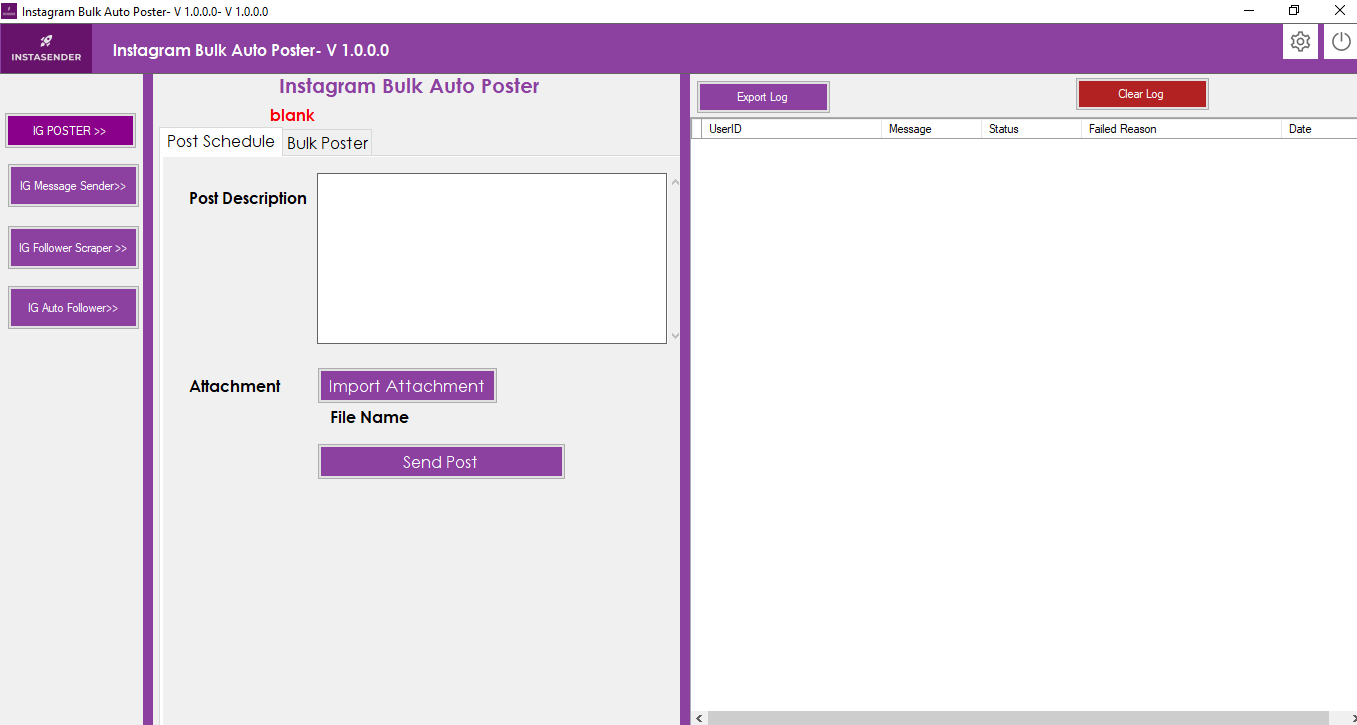
The software includes four main functions.
-
- Automatic posting on Instagram: the software allows you to upload posts and reels in bulk with a single click.
- Automatic messaging on Instagram: you can send mass messages to any Instagram profile.
- Extracting followers from Instagram: the software can extract followers from any Instagram profile.
- Automatic following on Instagram: this is the best feature to increase your followers on Instagram.
You can choose your target profiles with a good number of followers. The software will send follow up requests to all followers of those profiles. You can limit the daily requests and set the waiting time between requests.
Automatic posting on Instagram
You can post reels on Instagram manually or post in bulk.
For a single publication, click on the tab Publications Programmer.
- Description of the publication: You can give any name to the publication.
- Attachments: You can upload photos or videos to the publication.
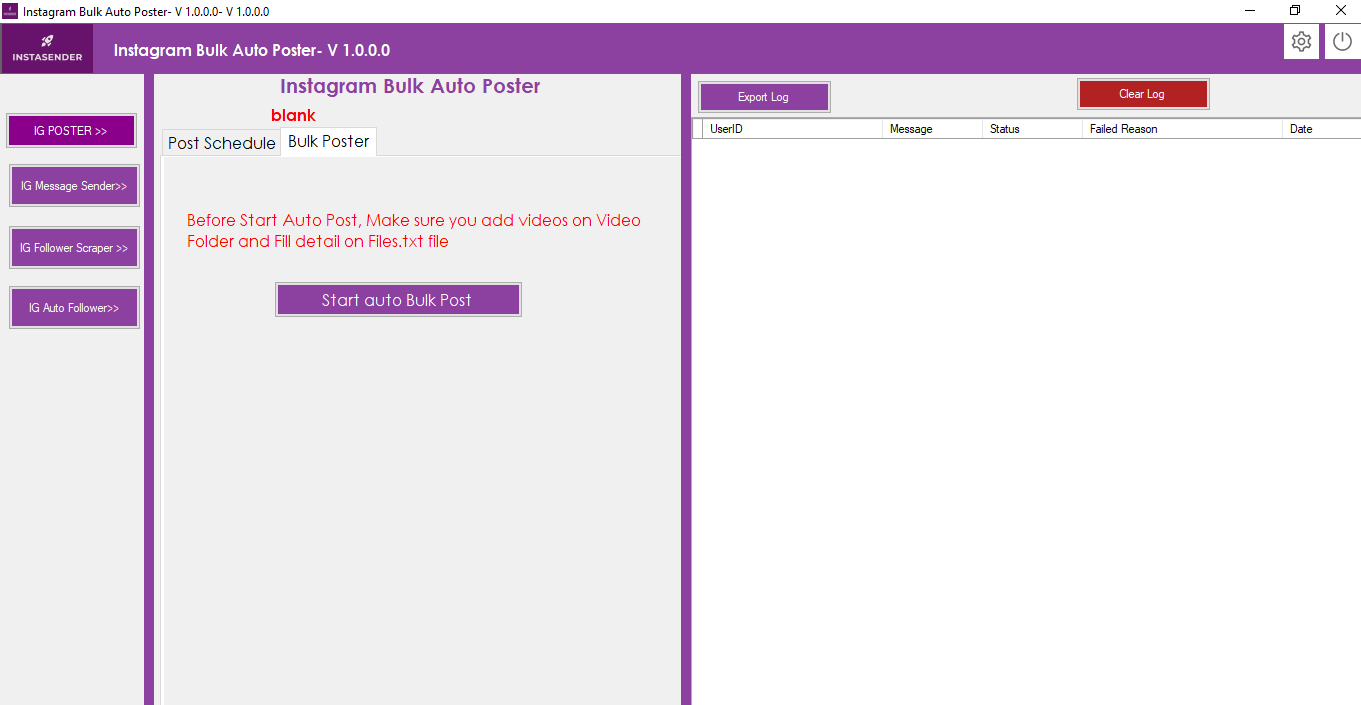
For mass publications, click on the tab Mass publication.
For bulk publishing, you must add your videos or photos to the folder Videos and define the title and the name of each video in the file Files.txt, line by line.
Check the file files.txt in the video folder as a sample file
After you have the necessary video files, you can click on the button Start automatic mass publication
Instagram message sender
Click on the left menu button IG message sender
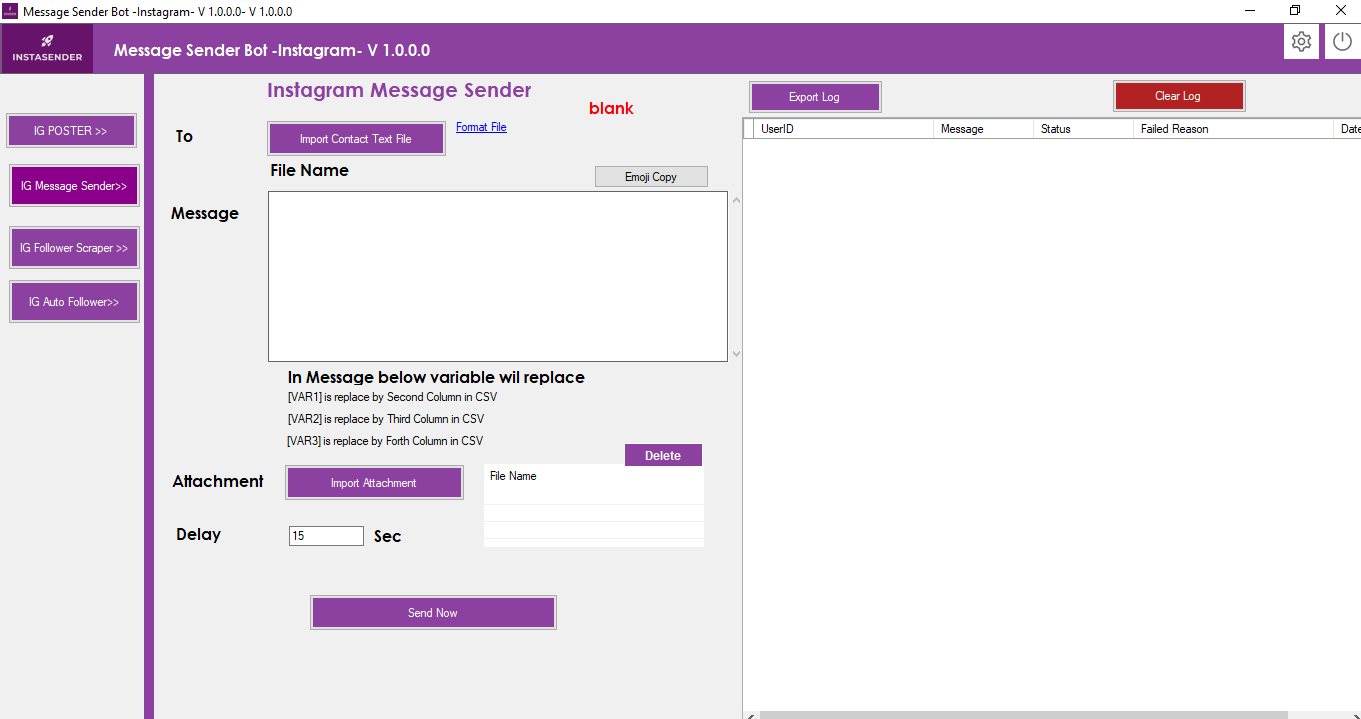
Instagram message sender: the software can send direct messages to all Instagram members.
- The software sends direct messages to all members automatically with a single click.
- The software allows you to import bulk member IDs as CSV and send bulk messages with a single click.
- Software You can send personalised messages to each customer individually.
- En el software, las variables de mensaje [VAR1], [VAR2], [VAR3], [VAR4], [VAR5], [VAR6], [VAR7]
are replaced by the second column.
Process for sending messages to Instagram members
-
- Import the CSV file of contacts according to the format: data.CSV in the software folder (or click on «File format» in the software screen).in the CSV file, the first column is the Instagram member ID. The second column is VAR1, which is replaced by the message variable [VAR1]. The third column is VAR2, which is replaced by the message variable [VAR2]. The fourth column is VAR3, which is replaced by the message variable [VAR3].
You can also send attachments. To do this, click on the «Import attachment» button.
Click on «Send now».
The Chrome browser will open. Log in to your Instagram profile manually.
The software will then automatically send a message to all the members you have imported via the CSV file.
Instagram followers extractor
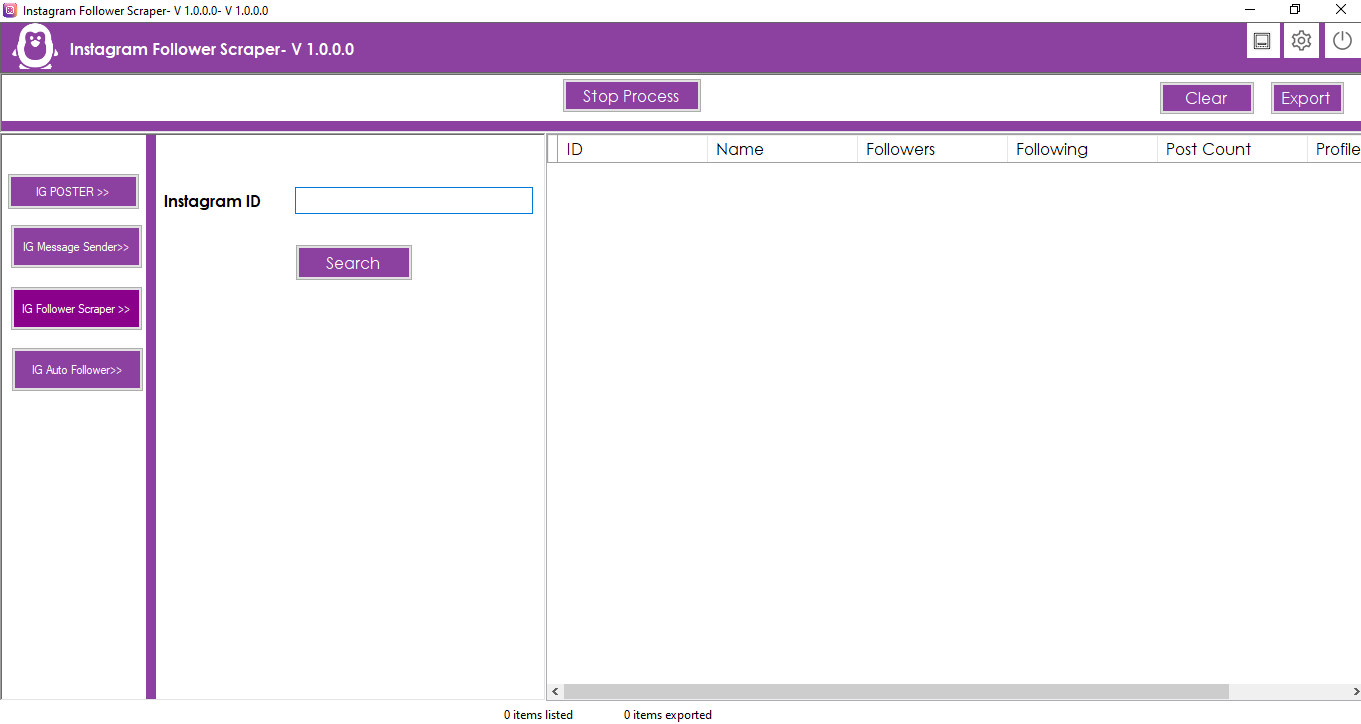
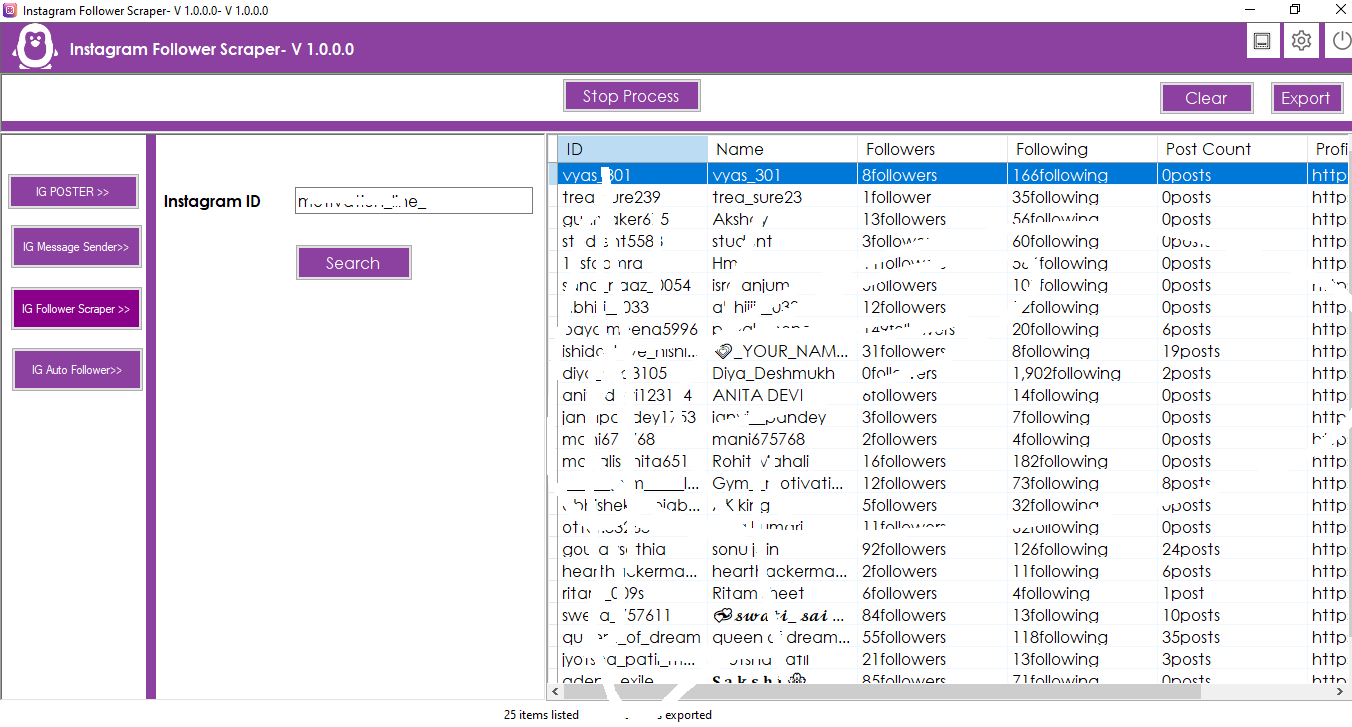
Click on the left menu button: «IG Followers Extractor».
-
- Instagram IDEnter the Instagram username you want to get followers from.
- Click on the button Search. The software will open the Chrome browser and take you to Instagram.
Log in to your Instagram account and turn off pop-up notifications (Instagram sometimes displays pop-up notifications). The software will start collecting followers automatically.
-
- Import the CSV file of contacts according to the format: data.CSV in the software folder (or click on «File format» in the software screen).in the CSV file, the first column is the Instagram member ID. The second column is VAR1, which is replaced by the message variable [VAR1]. The third column is VAR2, which is replaced by the message variable [VAR2]. The fourth column is VAR3, which is replaced by the message variable [VAR3].
-
- You can export all details in multiple formats: Excel, CSV and text.
4. Automatic follow request on Instagram
Click on the left menu button: Automatic tracking on Instagram
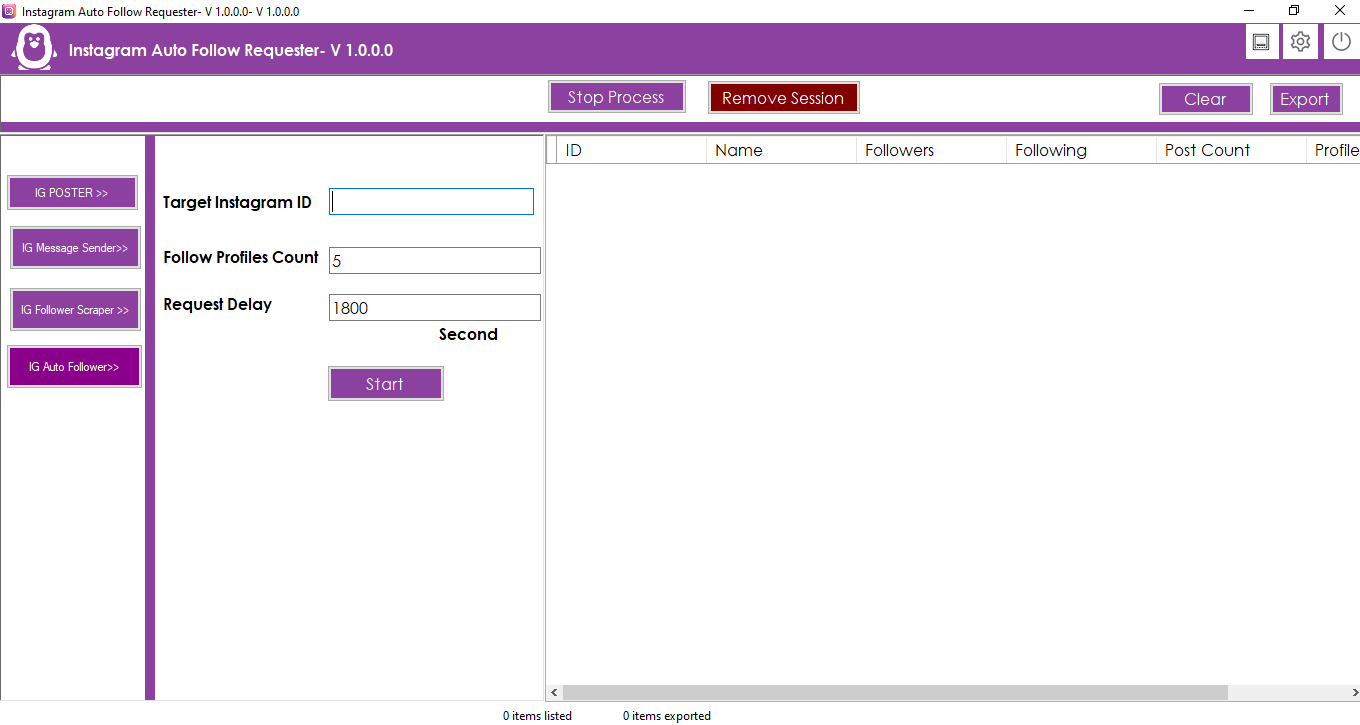
The software can send tracking requests automatically on a continuous basis. You can define a delay in each request for tracking profiles. and you can also define how many profiles to follow for each application.
- Target Instagram IDEnter the Instagram username of the profile you want to send follow requests to.
- Number of profiles to follow: Indicate how many profiles you want to follow in each application.
- Application delay: Delay in seconds on each request to follow profiles.
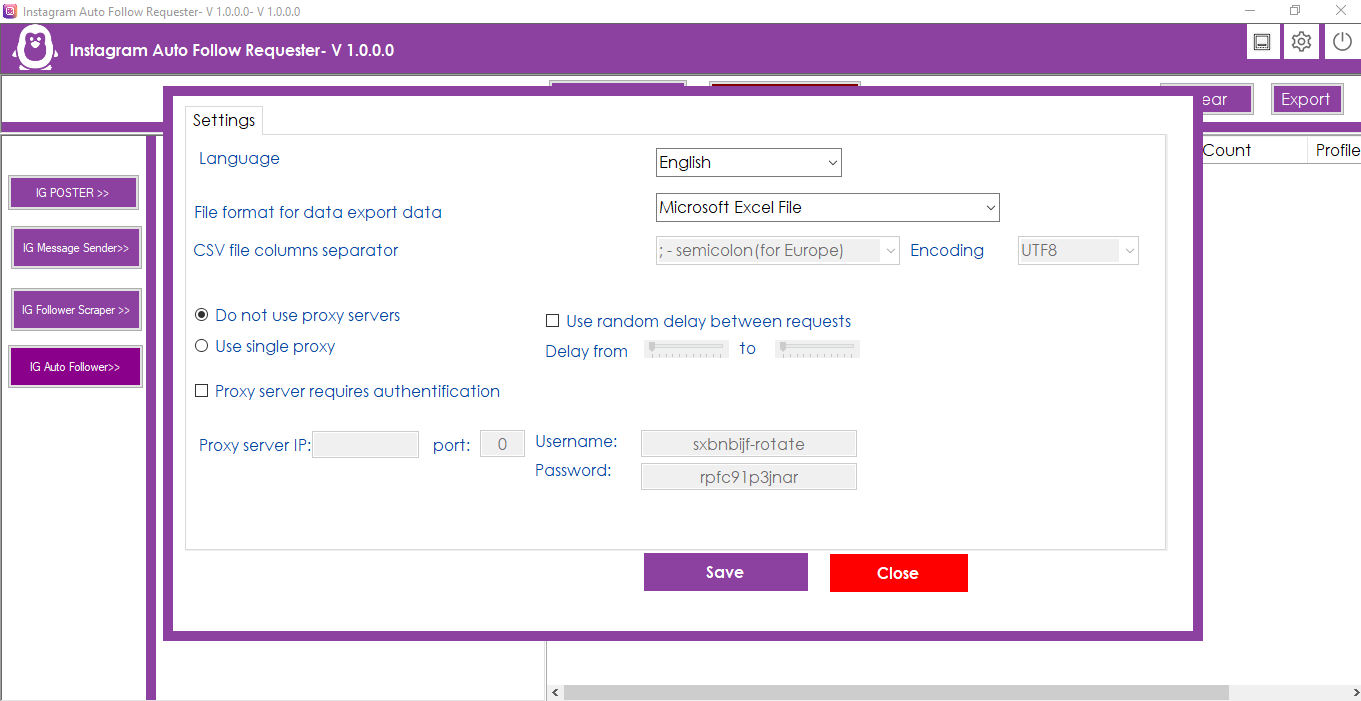
- Click on the Settings icon in the top bar,
 . You can also change the data export format, Excel, CSV, text format. The software supports multiple languages, you can change the desired language.
Proxy software support, you can add your proxy.


Reviews
There are no reviews yet.