
Descripción
The software now extracts phone numbers using the Google Chrome browser.
What is All SocialMedia Phone Extractor?
All SocialMedia Phone Extractor: this software can extract phone numbers from all social media profiles using the following functions.
- Extractor of the following social networks:
- YouTube
- Search for phone numbers in social networks from multiple search engines: Google, Yahoo, Bing
- Search for phone numbers on social networks with user-defined keywords.
- Search for phone numbers on social networks from any country.
class=»page header»>
Project requirements
- Net Requirement
- .Chrome Browser
Starting
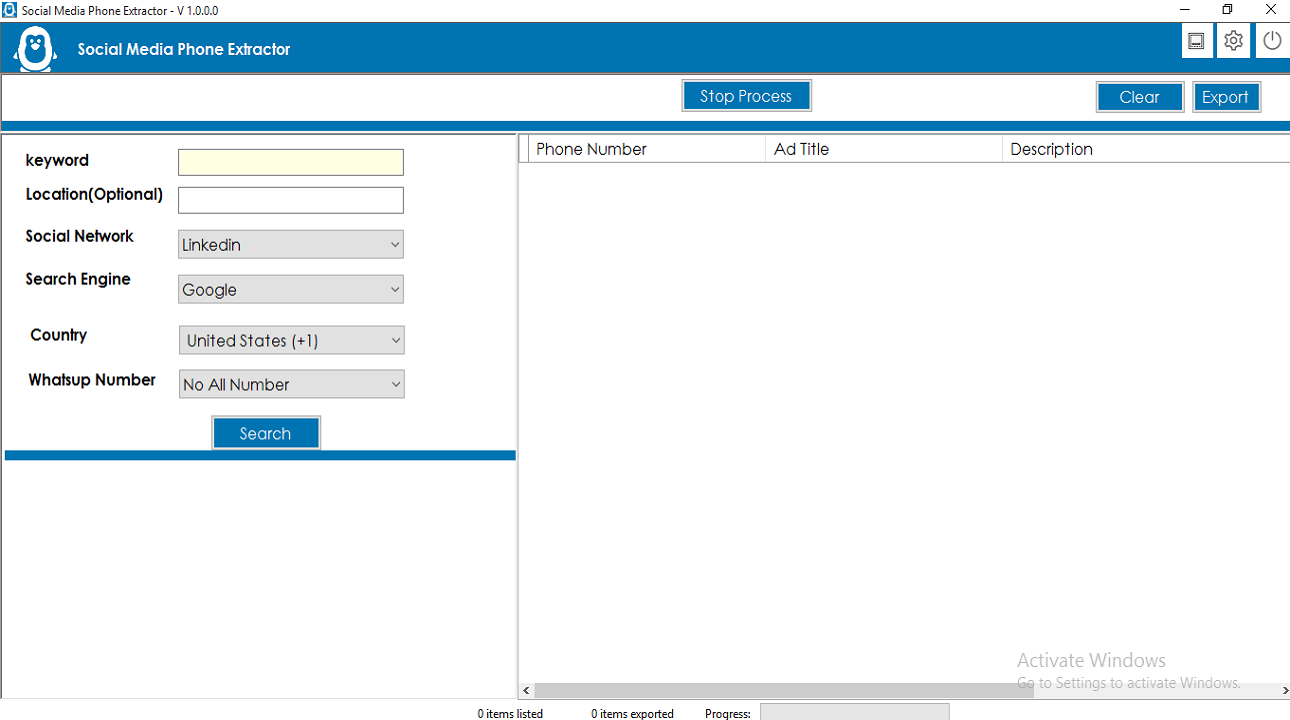
After registration License, Start the software, the software starts with the following screen
-
- Now you can search using the following parameter.
- Keyword: Any keyword such as Jobs,Sales.
- Location: this option is optional but you can enter any Location.
- Search engine: you can remove Instagram Email from several search engines: Google, Yahoo, Bing.
- Country: Select Country from all the social network phones you want to delete Email
- Click on the Search button, all results will be displayed in the search engine of the software browser.
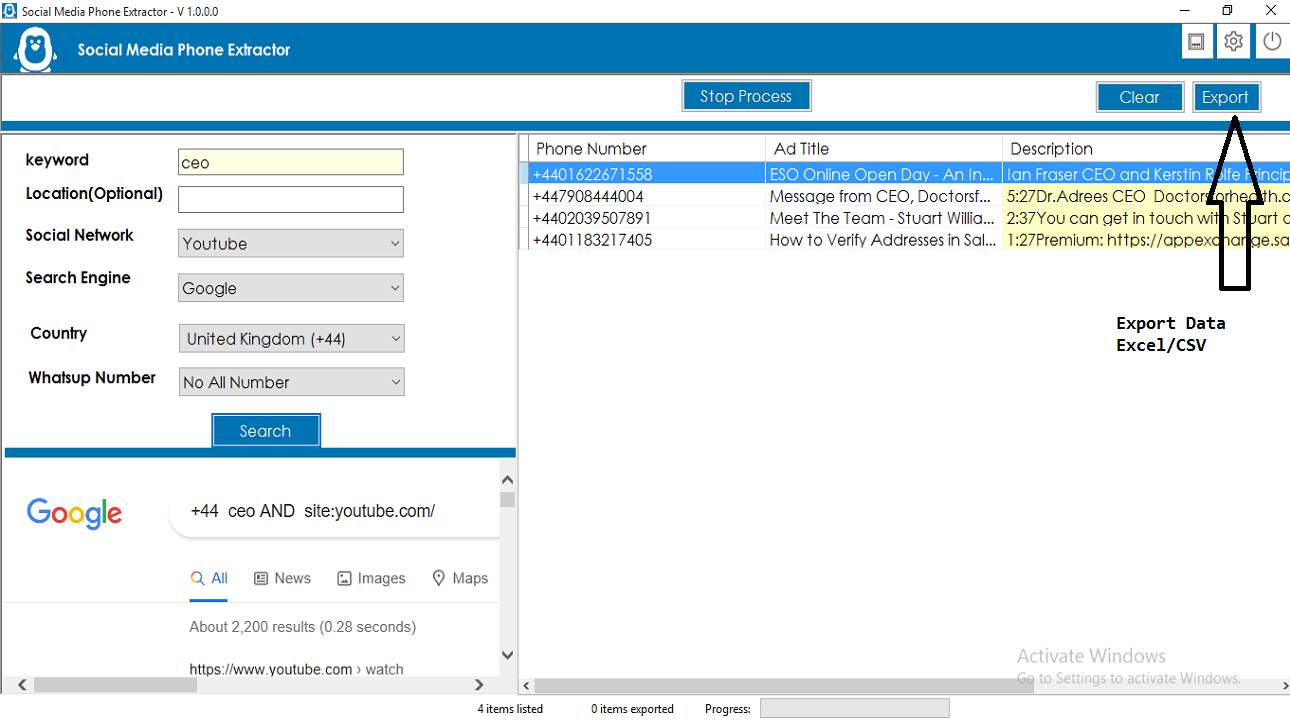
- Click on Get Data button, All details with Email (Gmail, HotMail, Yohoo Mail), Title, Description, All SocialMedia Profile Link is obtained and displayed in the table.
- Now you can search using the following parameter.
-
- You can export all details in multiple formats: Excel, CSV and Text format.

- This software also has VPN configuration, if you have VPN then you can add
- Click on the settings icon in the top bar,
 ,
,
You can perform VPN configuration here. You can also change the data export format, Excel, CSV, text format. The software supports multiple languages, you can change the desired language.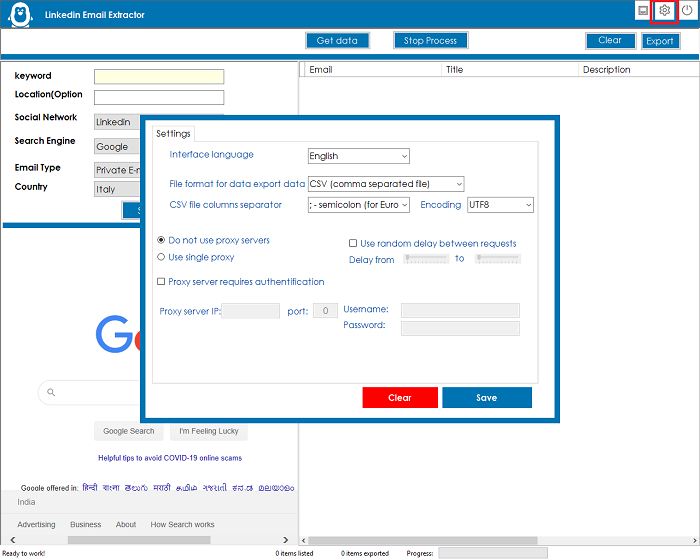
Installation process
-
- You will receive only the software. The code is not included
- After Product Purchase Please send me an email with your Purchase Licence code to:admin@gmextractor.com
you can check What is Purchase Code from this link:https://help.market.envato.com/hc/en-us/articles/202822600-Where-Is-My-Compra-Code-
- After confirming your purchase code, please unzip the main file and run InstagramEmailExtractor.exeand register your licence according to the screen below.
- E-mail licence : Registered e-mail.
- Registration code: Code Evanto Purchase.
- After registration you can use the software.


Reviews
There are no reviews yet.