
Descripción
What is All in One Whatsapp Software?
All in One Whatsapp Software is an advanced software with a unique feature to send picture messages to an unlimited number of WhatsApp contacts, as well as to all groups, group members, etc.
✅Send WhatsApp bulk messages to any number by importing a text file
✅WhatsApp Contact Extractor
✅Send mass messages to all your WhatsApp contacts
✅WhatsApp group extractor
✅WhatsApp group member extractor
✅Send mass messages to all your WhatsApp groups
✅Send mass messages to all members of your WhatsApp groups
✅Send text, picture or video messages to any WhatsApp contact
✅The software can send personalised messages to each client individually.
Project requirements
- Latest version of Google Chrome
Installation process
-
- You will receive only the software. The code is not included
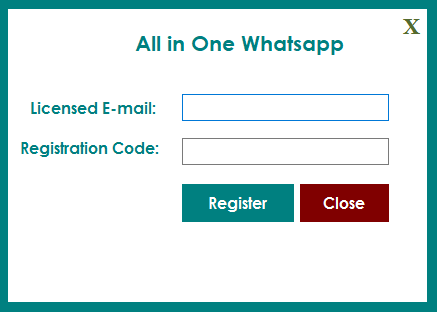
- After confirming your purchase code, please unzip the main file and runAllinWhatsappSender.exeand register your licence according to the screen below.
- Licence E-mail: Registered e-mail address.
- Registration code : Purchase code.
- After registration you can use the software.
Starting
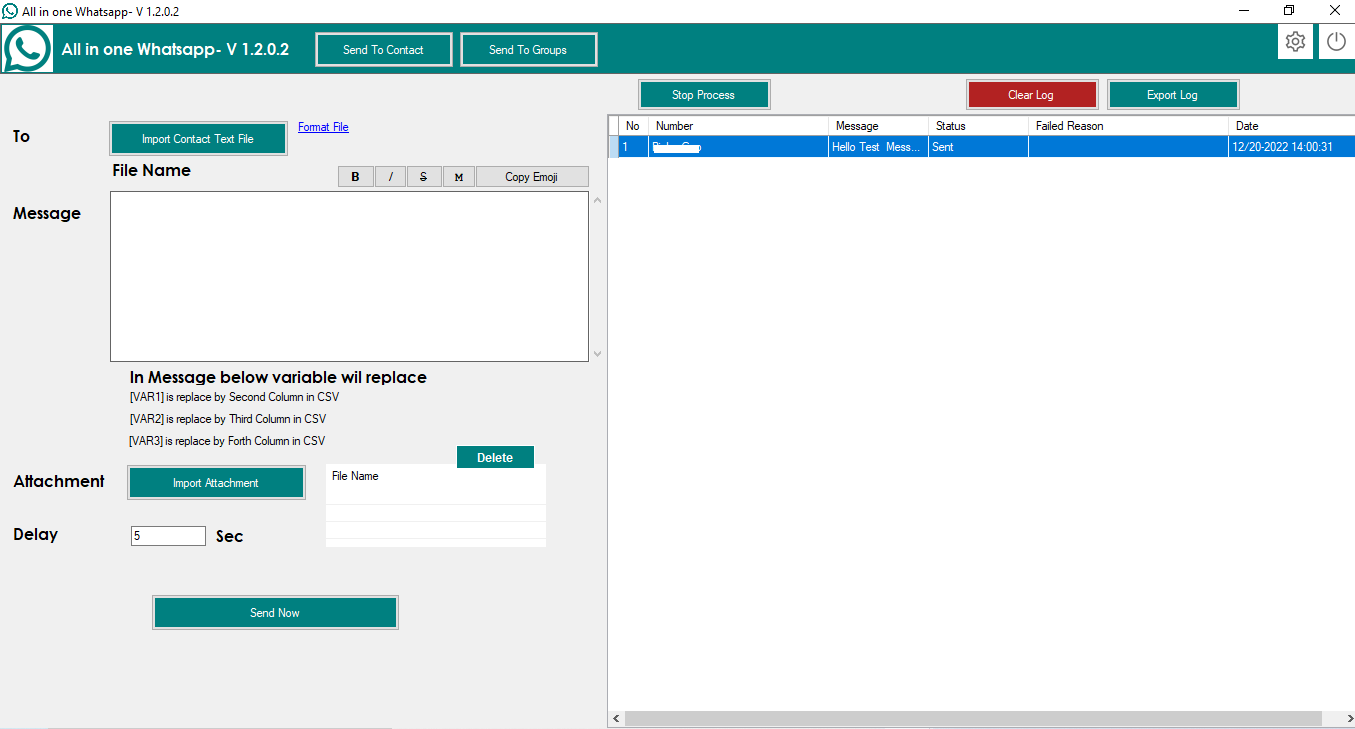
After registration License, Start the software, the software starts with the following screen
-
- Import CSV file of contacts according to the format: data.CSV in the software folder, in the CSV file, the first column is the contact number, which must start with the country code.
The second column is VAR1, which is replaced by the message variable [VAR1].
The third column is VAR2, which is replaced by the message variable [VAR2].
The fourth column is VAR3, which is replaced by the message variable [VAR3].
- Import CSV file of contacts according to the format: data.CSV in the software folder, in the CSV file, the first column is the contact number, which must start with the country code.
- You can also send attachments. To do this, click on the «Import attachment» button.
- Click on «Send now».
- All records can be successfully exported.
Extractor of WhatsApp groups and group members and message sender.
-
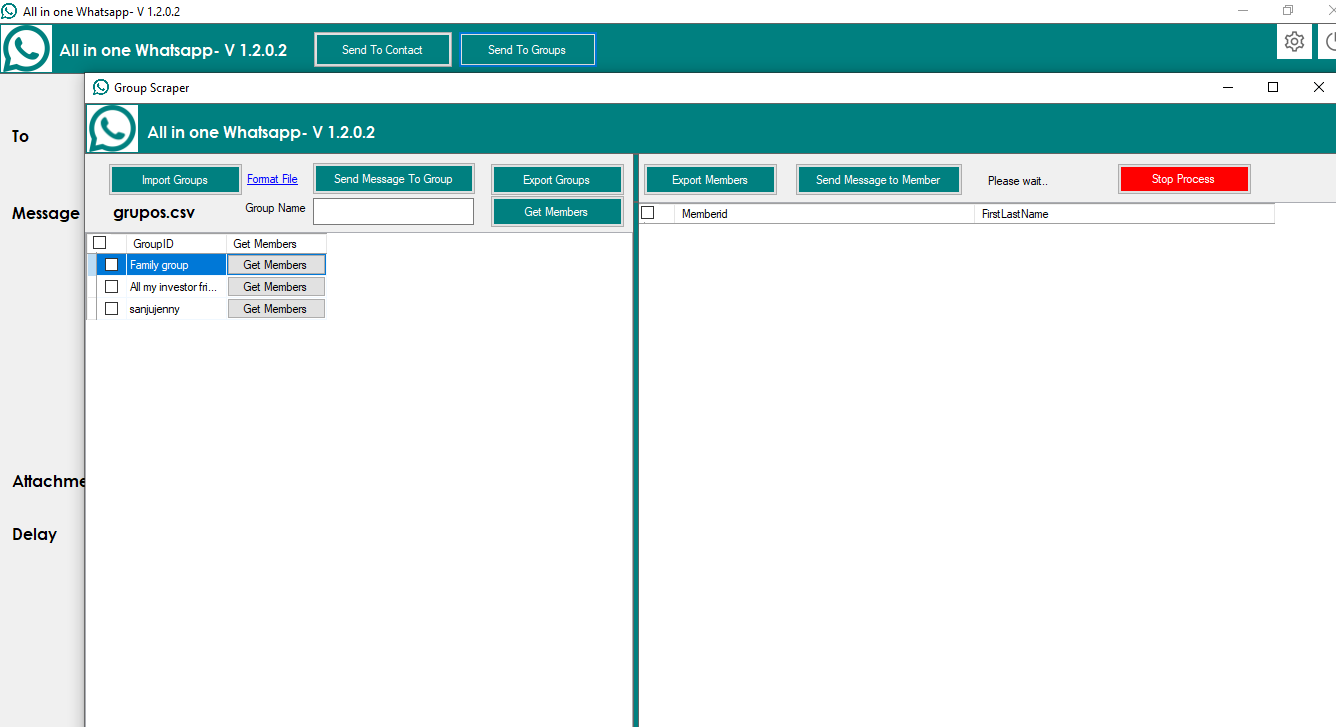
- If you want to send a message to WhatsApp groups, click on the «Send to groups» button. The following screen will appear.
-
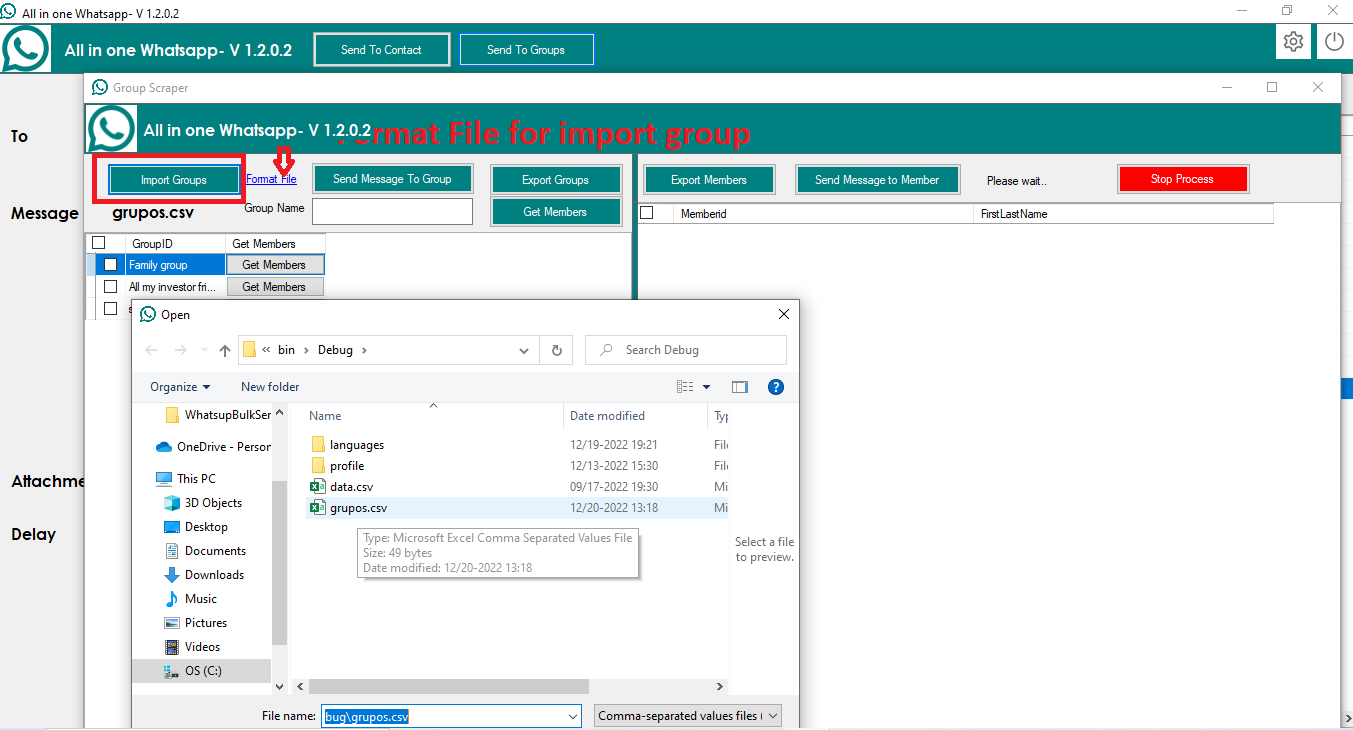
- In this screen, you must import all group names into the «groups.CSV» file. Then, select the group and click on the «Send message to group» button, as shown in the following screen.
-
- If you want to get the members of a group, click on the «Get member» button for the group in question. This will display all the members of the group in one click.
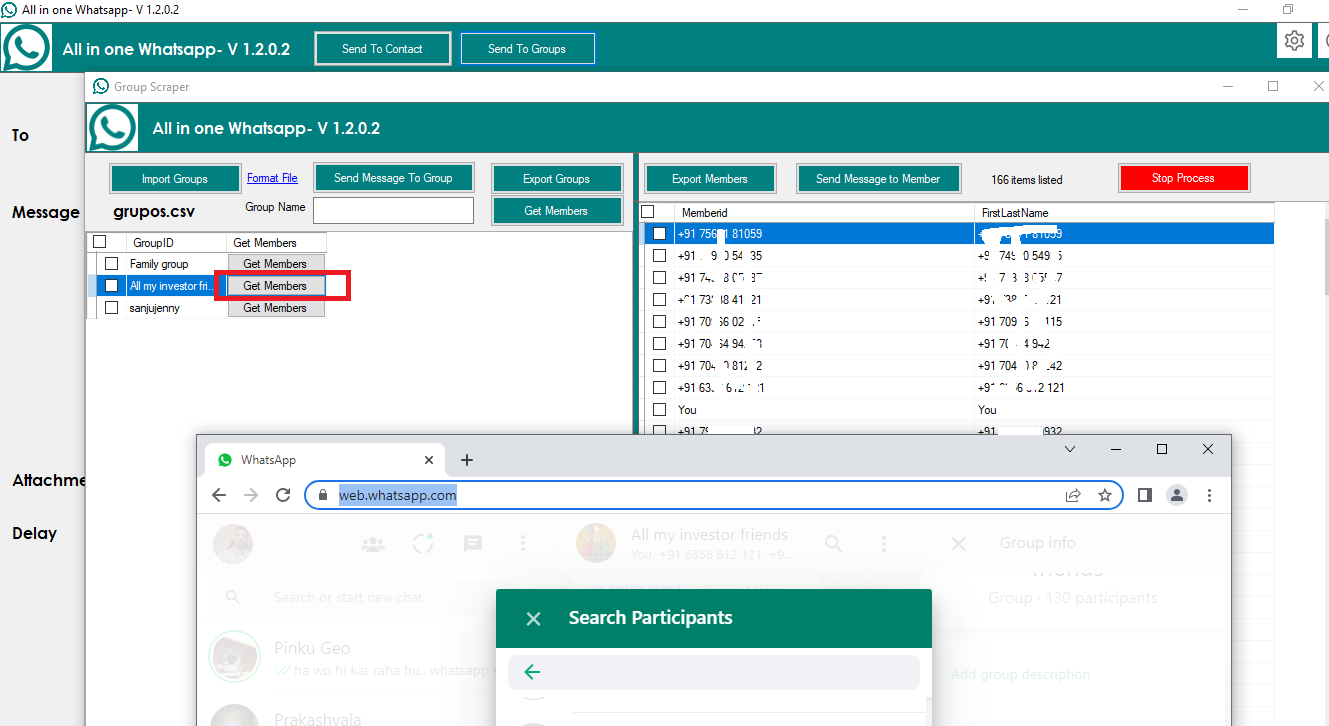
-
- If you want to send a message to the group members, select them and click on the «Send message to member» button.
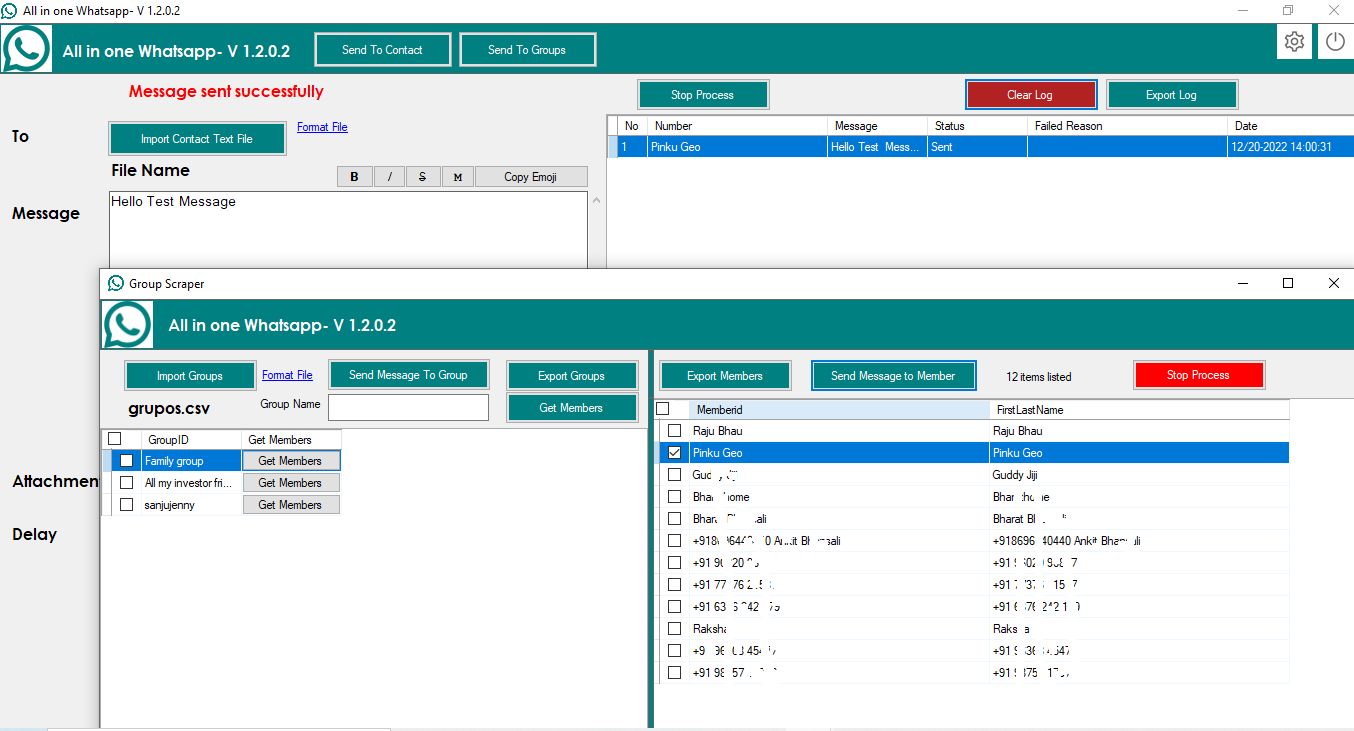
WhatsApp contact and message sender extractor
-
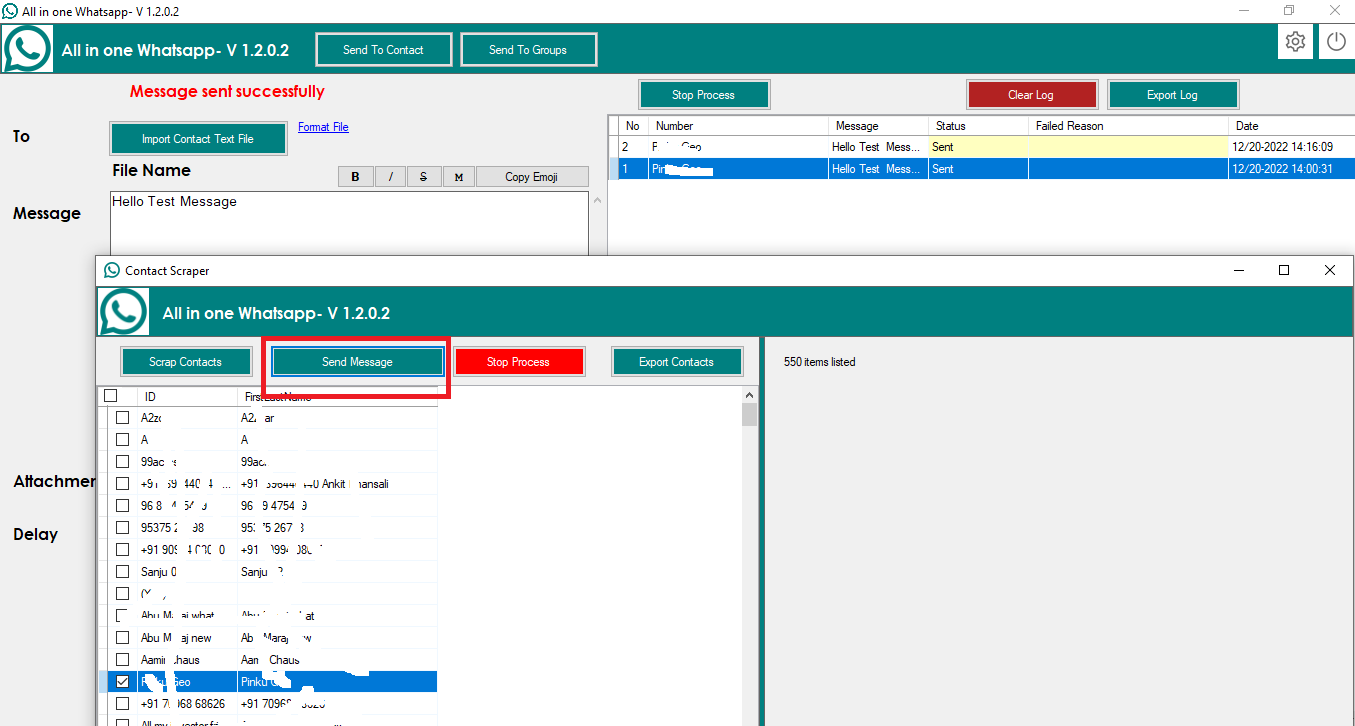
- If you want to extract contacts from WhatsApp and send messages to them, click on the «Send to contact» button on the main screen.
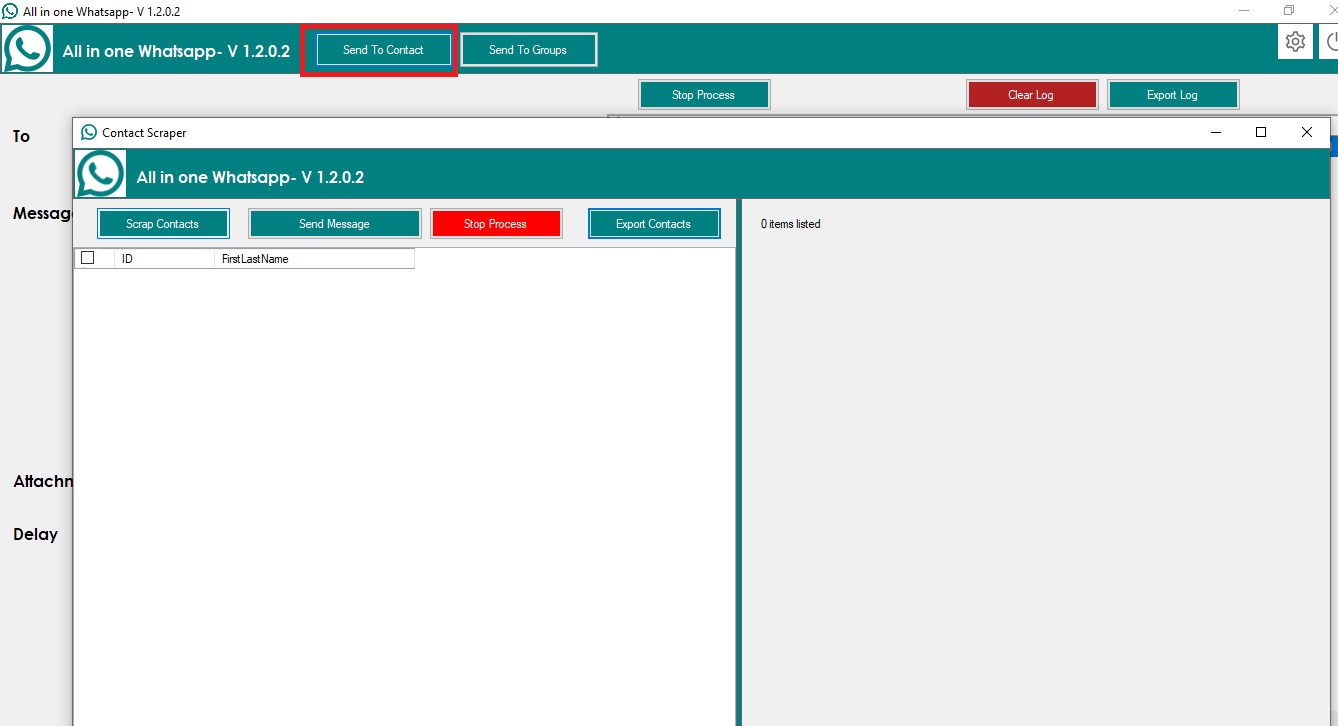
-
- To extract contacts from WhatsApp, click on the «Extract contacts» button.
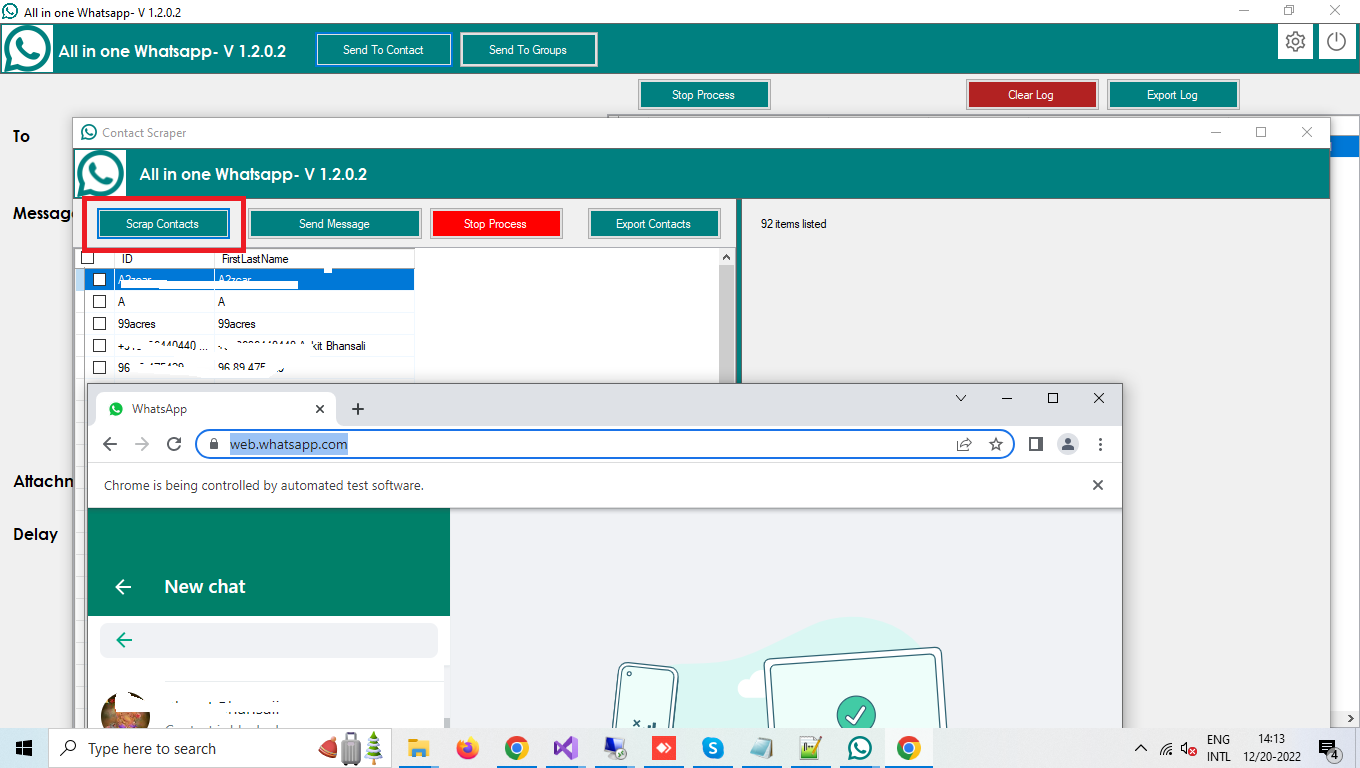
-
- To send messages to your WhatsApp contacts, select them and click the «Send message» button.
-
-
- Configure export format: Excel, CSV, Text format
- Set software language
- Configure VPN proxyClick the Settings icon in the top bar.
-


Reviews
There are no reviews yet.