
Descripción
What is LinkedIn Group Member Scraper - Chrome Extension?
LinkedIn Group Member Scraper - Chrome Extension is an advanced extension that can extract member data from any LinkedIn group.
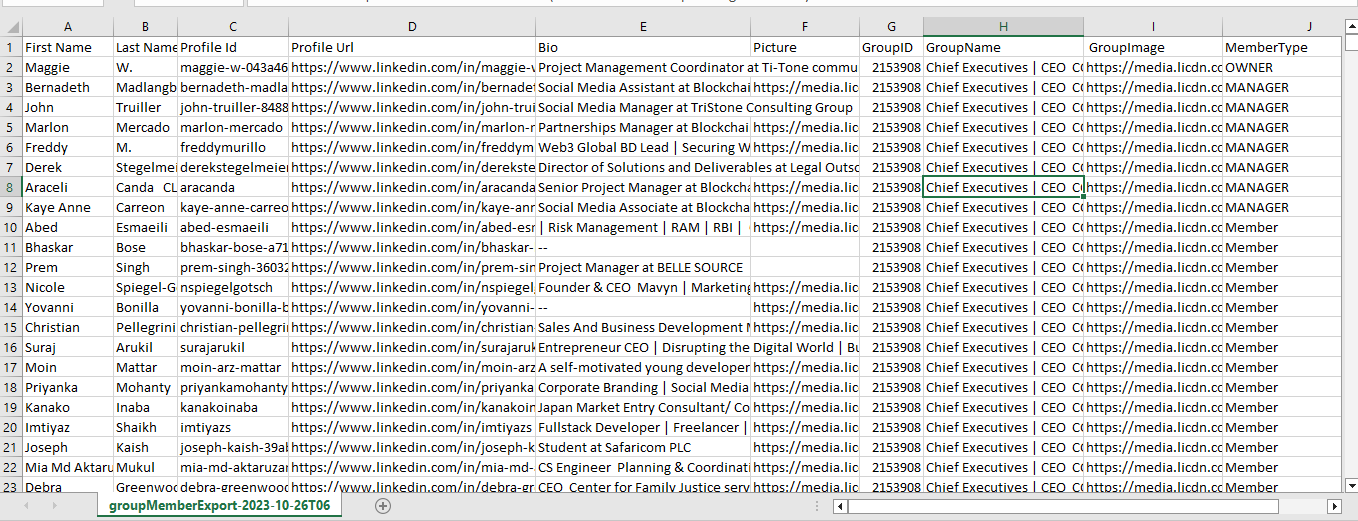
- The extension can extract member data from any LinkedIn group.
- Name
- Surname
- Profile ID
- Profile URL
- Biography
- Photo
- Group ID
- Name of the group
- Group image
- Type of member
- The extension exports all contacts to a CSV file.
Project requirements
- Latest version of Google Chrome
Installation process
-
- After Purchase Product The Purchase code is your License code. If you have any problems with the Licence, please email me at admin@gmextractor.com
You can check what is the Purchase Code in this link: https://help.market.envato.com/hc/en-us/articles/202822600-Where-Is-My-Compra-Code- - Unzip the main file and go to the Software folder.
-
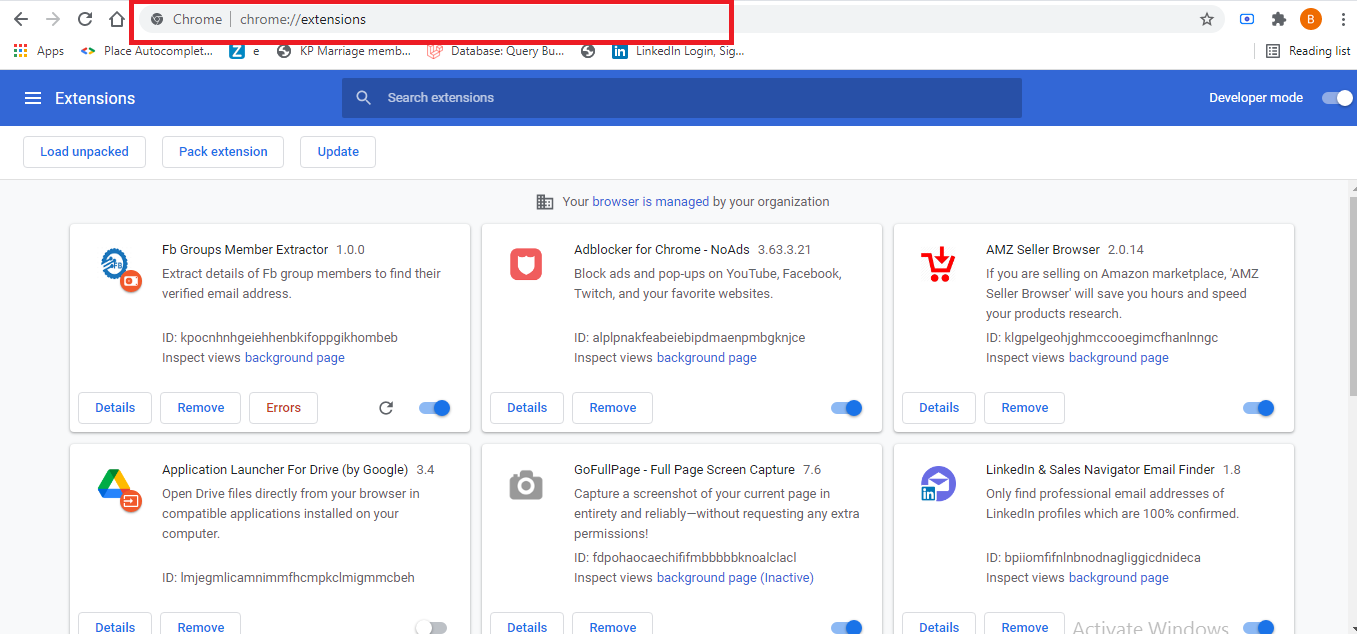
- Open the Chrome Extensions Manager with this URL: chrome://extensions/
-
- Open the Chrome Extensions Manager using this URL: chrome://extensions/
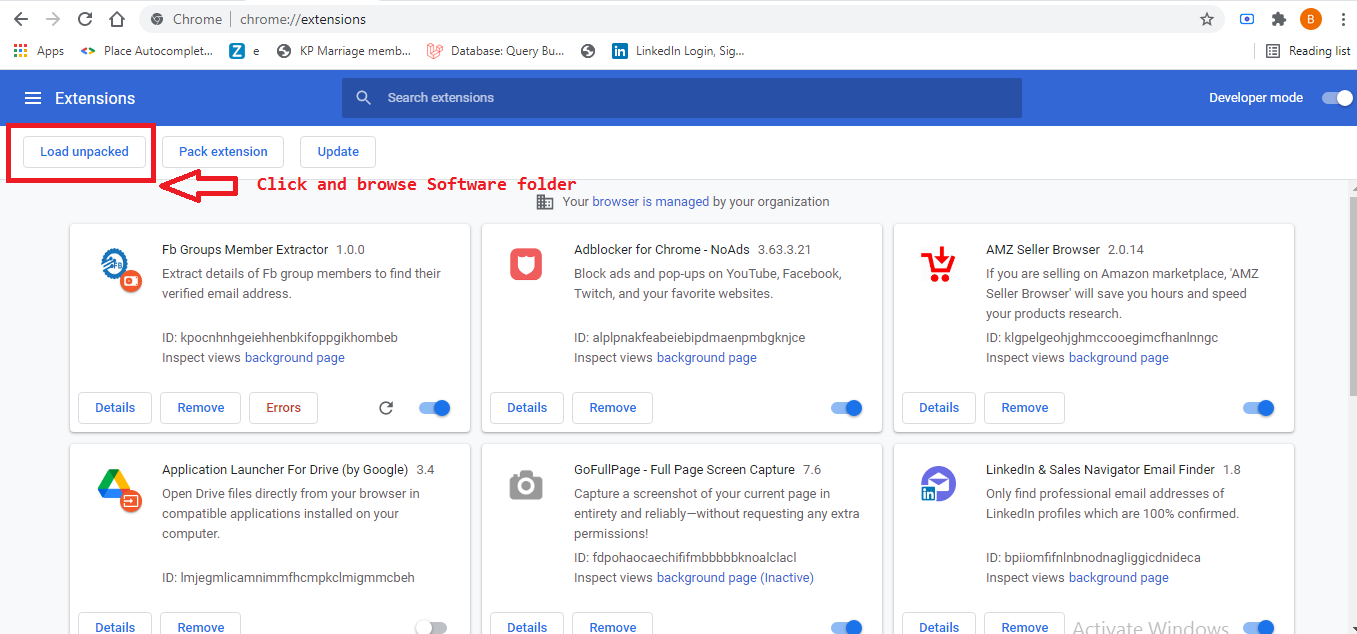
- Click on the «Load unpacked» button, browse to the software folder and the extension will be loaded.
-
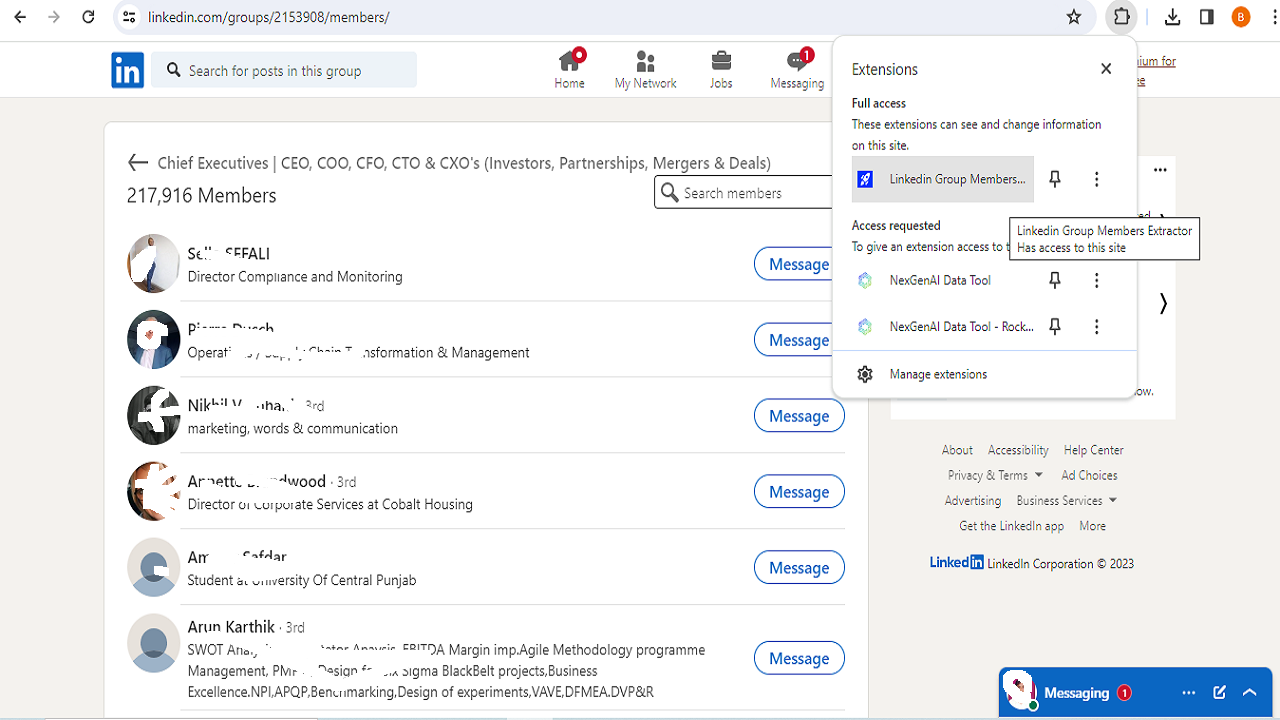
- Right-click on the browser icon and open the Chrome extension «LinkedIn Group Members Extractor».
-
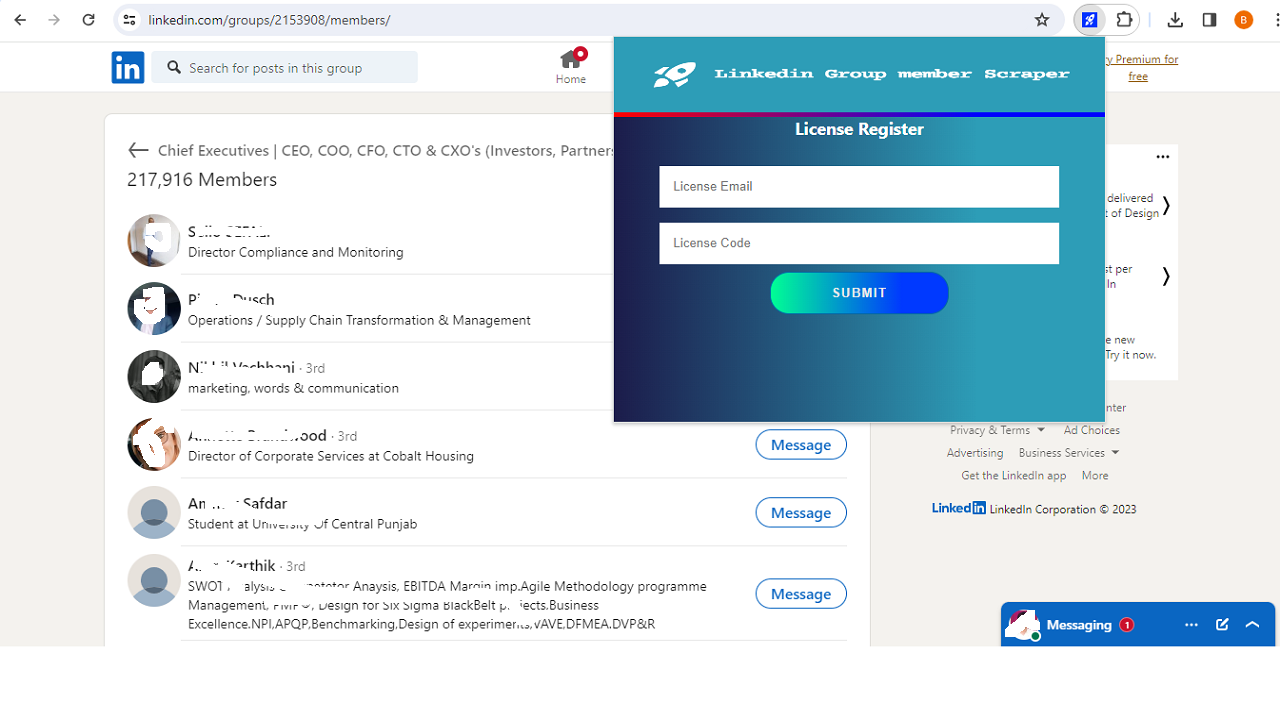
- Register your licence as follows Screen.
- After Purchase Product The Purchase code is your License code. If you have any problems with the Licence, please email me at admin@gmextractor.com
-
-
- License code: Evanto purchase code.
- Email ID: Any email ID.
- After registering, you will be able to use the extension.
-
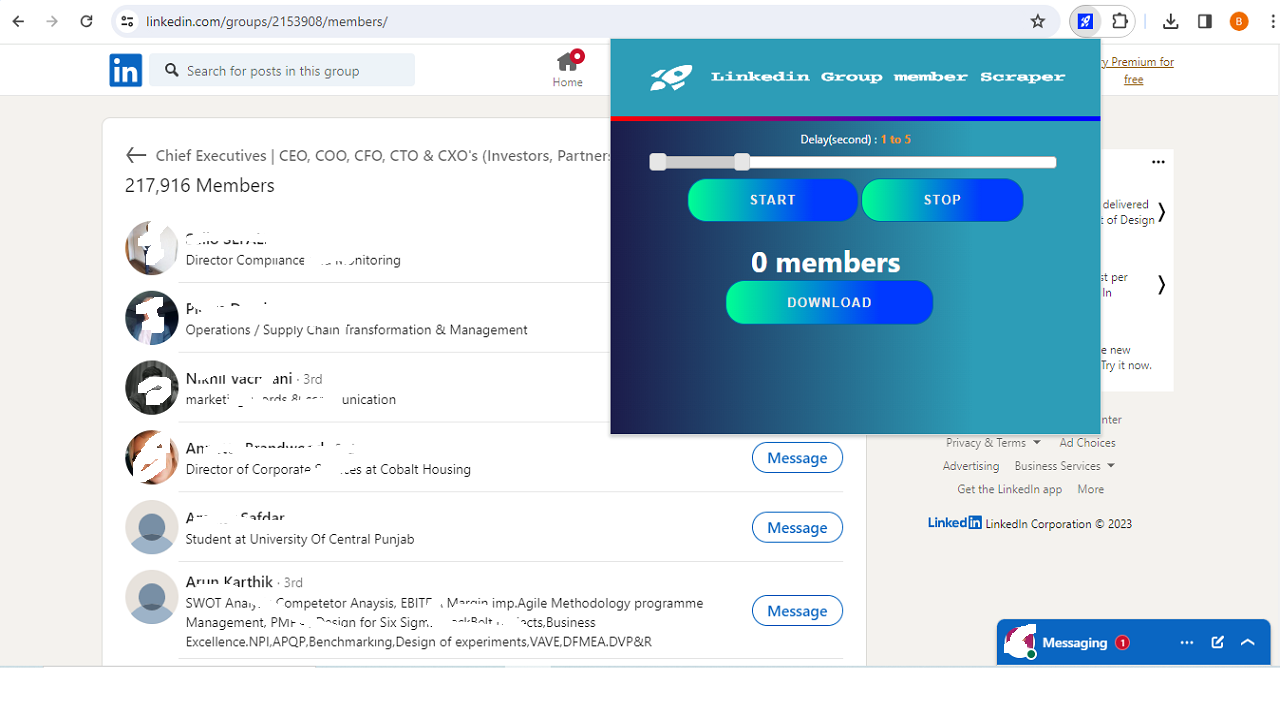
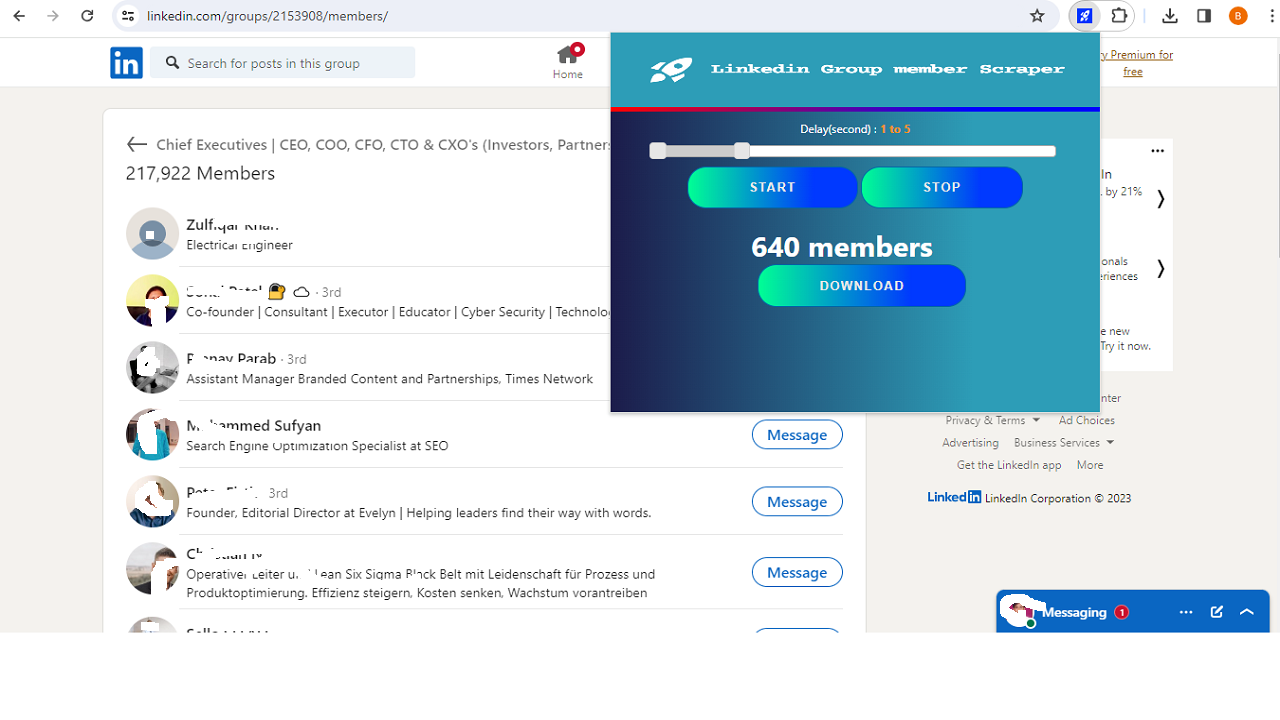
- Go to the LinkedIn group page, like this one: https://www.LinkedIn.com/groups/2153908/members/You must join the LinkedIn page. The extension will display the Start and Stop buttons. Click the «Start Now» button. The extension will start extracting data from LinkedIn group members.
- After extracting the data, you can export it using the «Download as CSV» button.
For support, you can contact us directly by email.
E-mail contact: admin@gmextractor.com


Reviews
There are no reviews yet.