
Descripción
What is Whats ChatBot Software?
Whats ChatBot Software is an advanced software with a unique feature to send automatic replies in WhatsApp chats.
If you are a business owner, do you want to send automatic replies to your customers via WhatsApp based on their queries?
In our software you can create multiple rules to send automatic messages. For example, you can create a rule that says: «If you press 1, send product details»; «If you press 2, send contact details», etc.
Send an automatic welcome message to your WhatsApp customers when they make an enquiry.
✅ Send automatic messages to your WhatsApp customers when they make an enquiry.
✅ Send automatic messages to your WhatsApp customers when they make an enquiry.
Send any type of message: text, image, video or any file.
✅Send survey message to your customer
✅Send contact card to your customer
✅The response time is very fast
Project requirements
- Latest version of Google Chrome
Installation process
-
- You will receive only the software. The code is not included
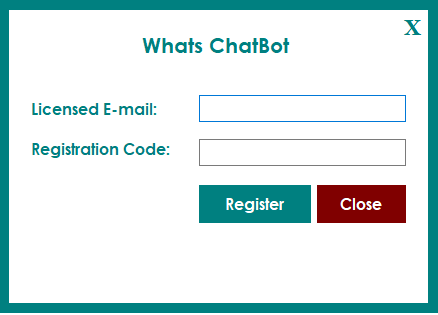
- After confirming your purchase code, please unzip the main file and runAllinWhatsappSender.exeand register your licence according to the screen below.
- Licence E-mail: Registered e-mail address.
- Registration code: Code Evanto Purchase.
- After registration you can use the software.
Starting
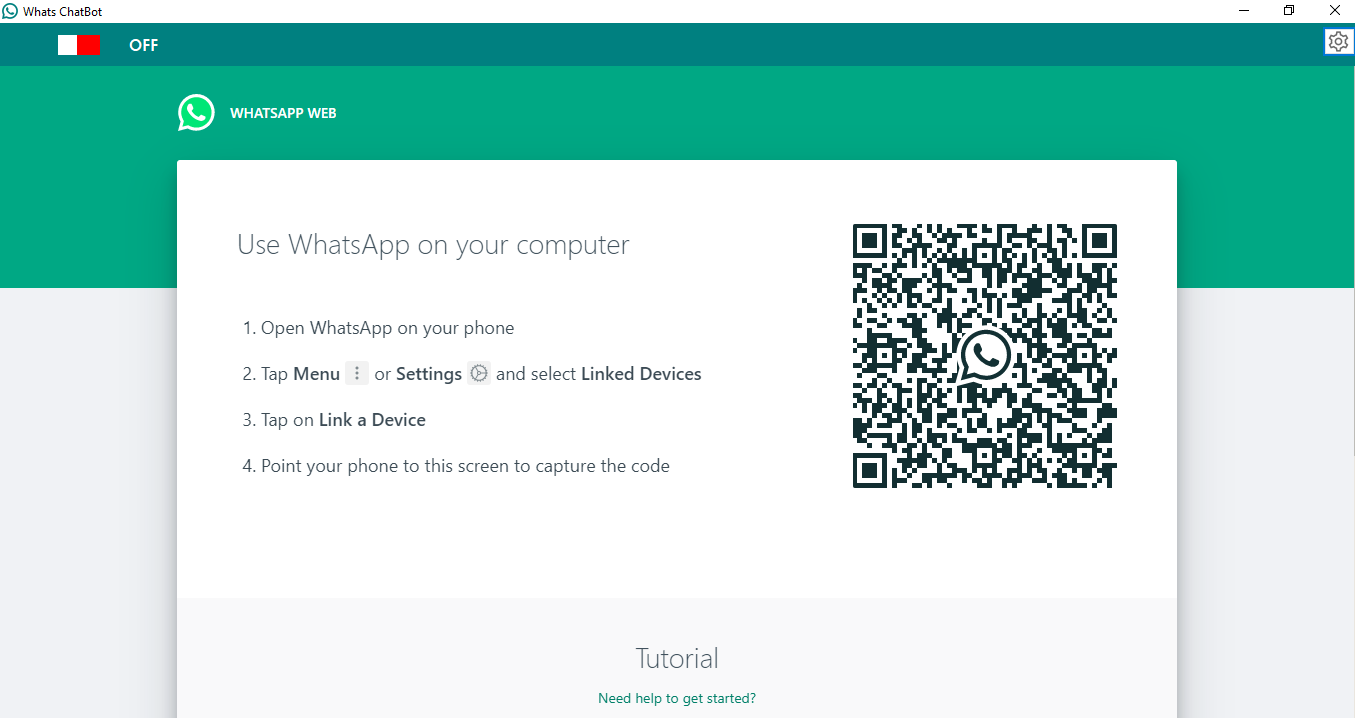
After registration License, Start the software, the software starts with the following screen
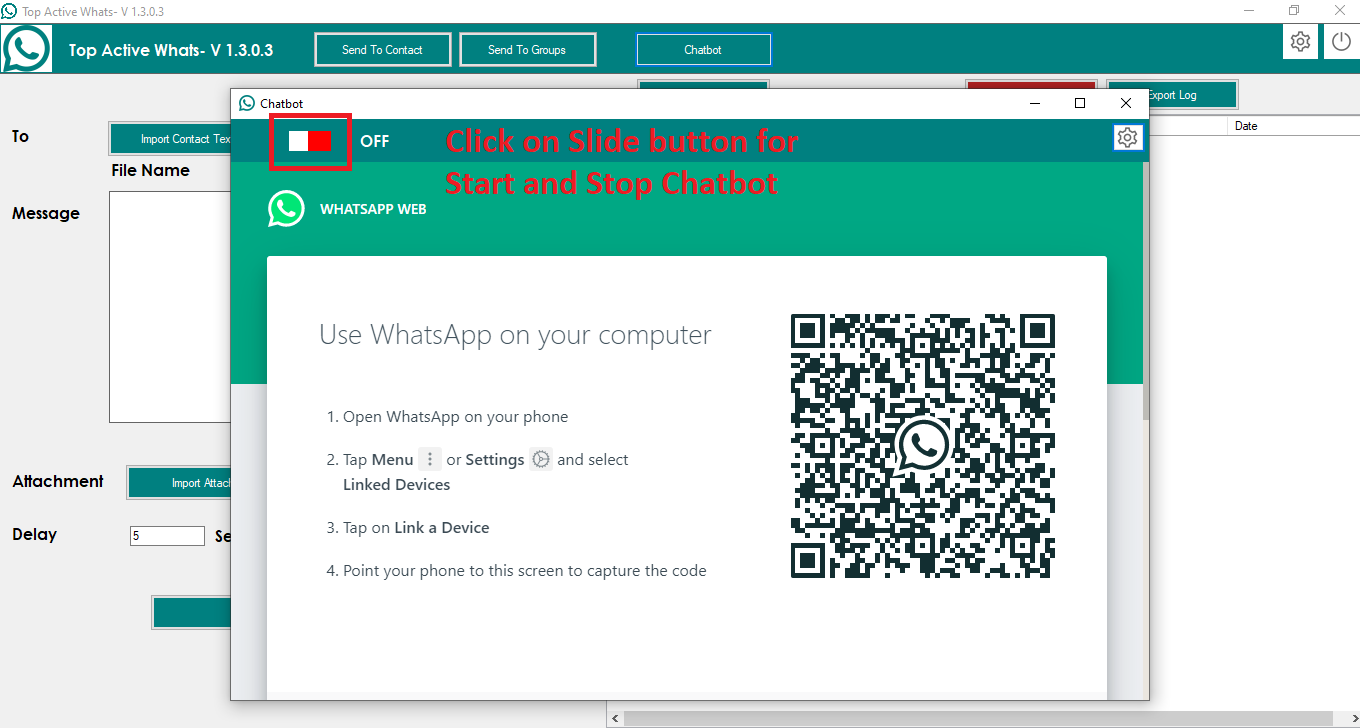
- Open the chatbot window and scan the WhatsApp QR code with your mobile device.
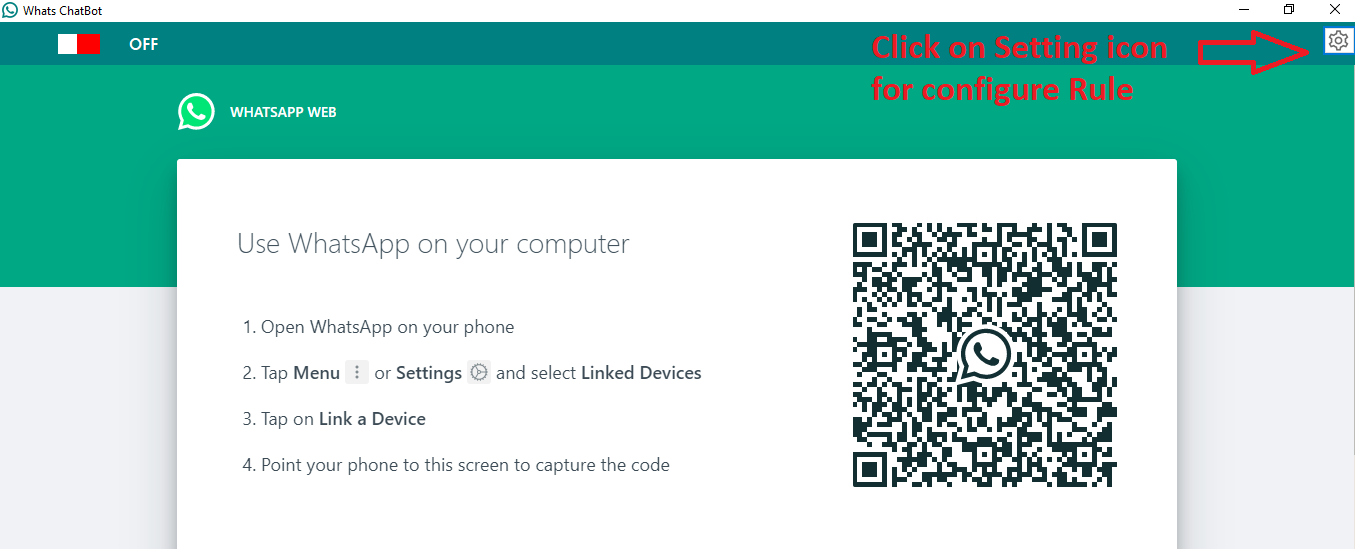
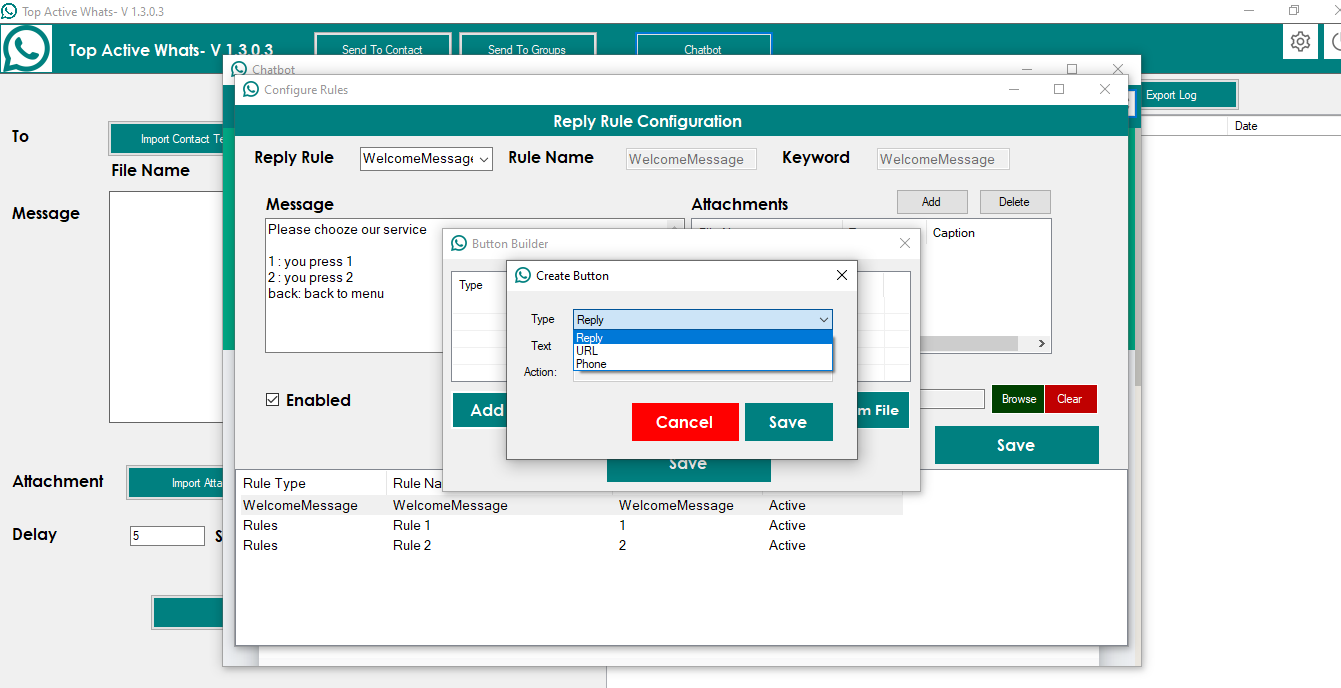
- Configure the chatbot rules: click on the Settings icon in the chatbot window.
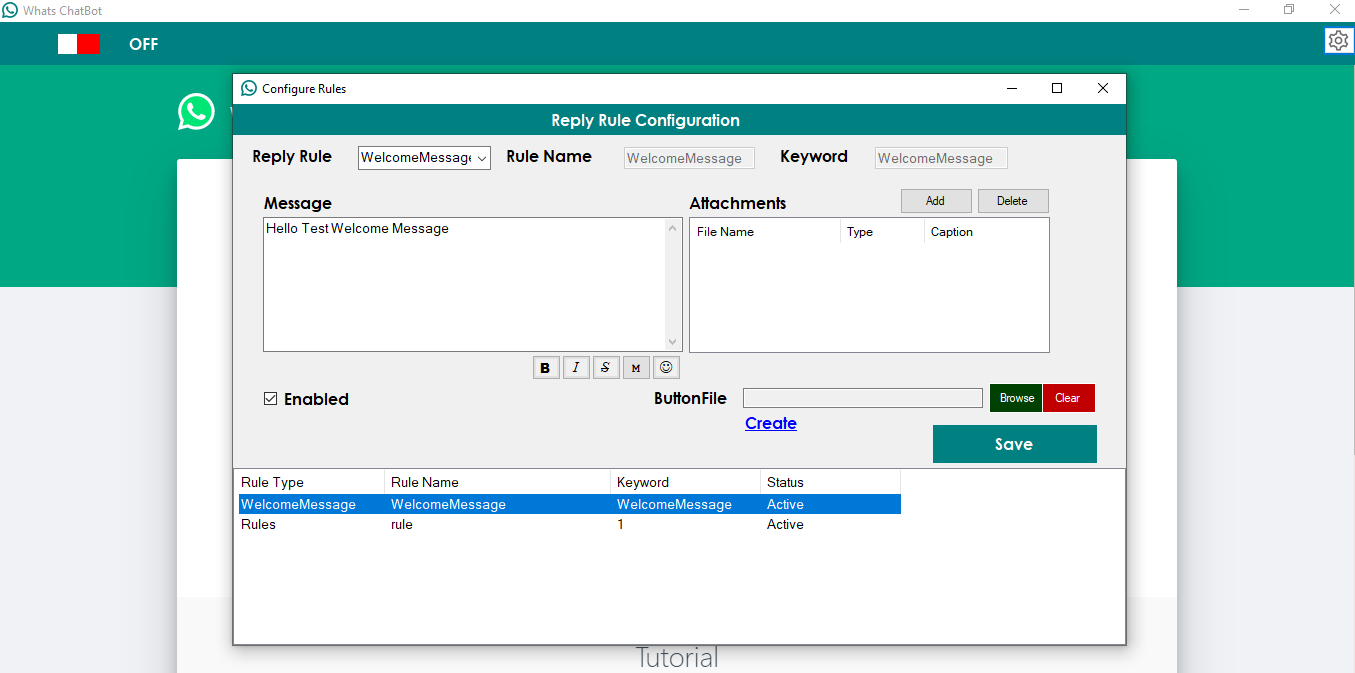
- You can create two types of rules:
- Welcome message: This is the welcome message that is sent when a user contacts you for the first time on WhatsApp.
Example:Please choose our service 1: Press 1 2: Press 2 Back: Back to menu
- Rules: You can create rules with your Keyword: For example, if a user sends the message «Keyword: 1», then you want to send them a unique message.
- Rule name: Unique name of your rule.
- Rule keyword: Unique keyword of your rule. For example, «1».
- Message: A message is sent when someone sends a message that matches the Rule Keyword.
- Attachment: You can attach files of any type.
- Enabled: You can enable or disable your rule.
- Button: You can create three types of buttons: Reply, Phone and URL.
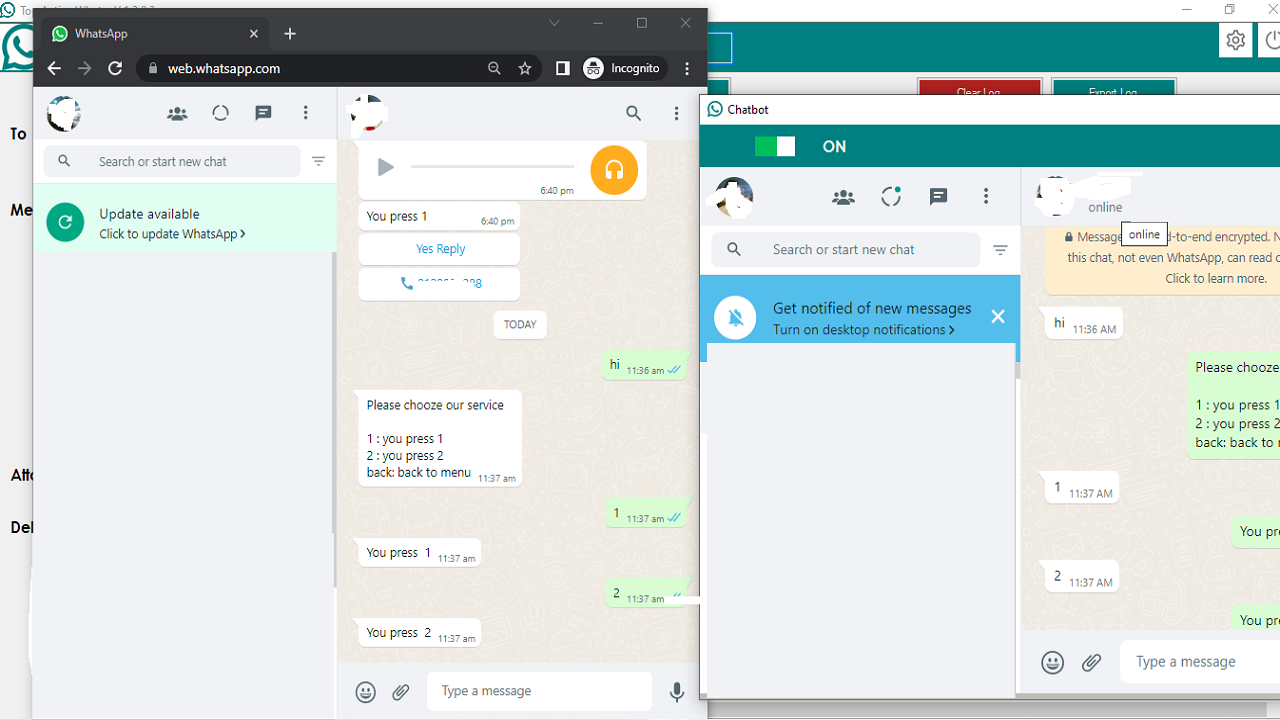
- You can initiate the chatbot process to respond to user messages.


Reviews
There are no reviews yet.