
Descripción
What is All in One Telegram Scraper and Sender?
Functional and best-selling 100% software to extract data from Telegram, send mass messages and add members to groups.
All-in-one Telegram extractor and sender: the software has the following features
-
- The software can send messages using the Telegram user ID. You can upload a CSV file with Telegram user IDs in the specified format and send bulk messages.
- The software can send messages using the Telegram mobile number. You can upload a CSV file with the Telegram mobile number in the specified format and send bulk messages.
- The software can extract information from contacts and send bulk messages to all contacts.
- The software can extract information from groups and send mass messages to all groups.
- Advanced feature: allows you to add members of one Telegram group to another and to add members to other groups.
To group from your contacts
- ✅ Multiple messaging functionality: now you can send multiple messages at once
- Session management: you can delete an existing session and start a new one.
Project requirements
- .NET requirements
- Google Chrome browser
- Microsoft Excel
Installation Process
-
- You will receive only the software. The code is not included
- Support includes 6 months for the software
- Software is for life
-
- Licence E-mail: Registered e-mail address.
- Registration code: Code Evanto Purchase.
- After registration you can use the software.
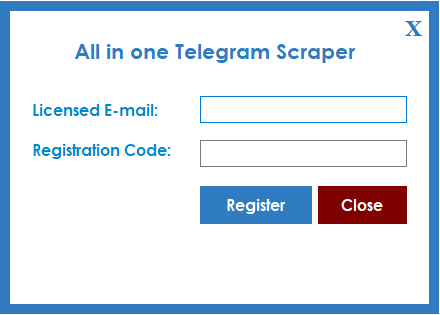
Starting
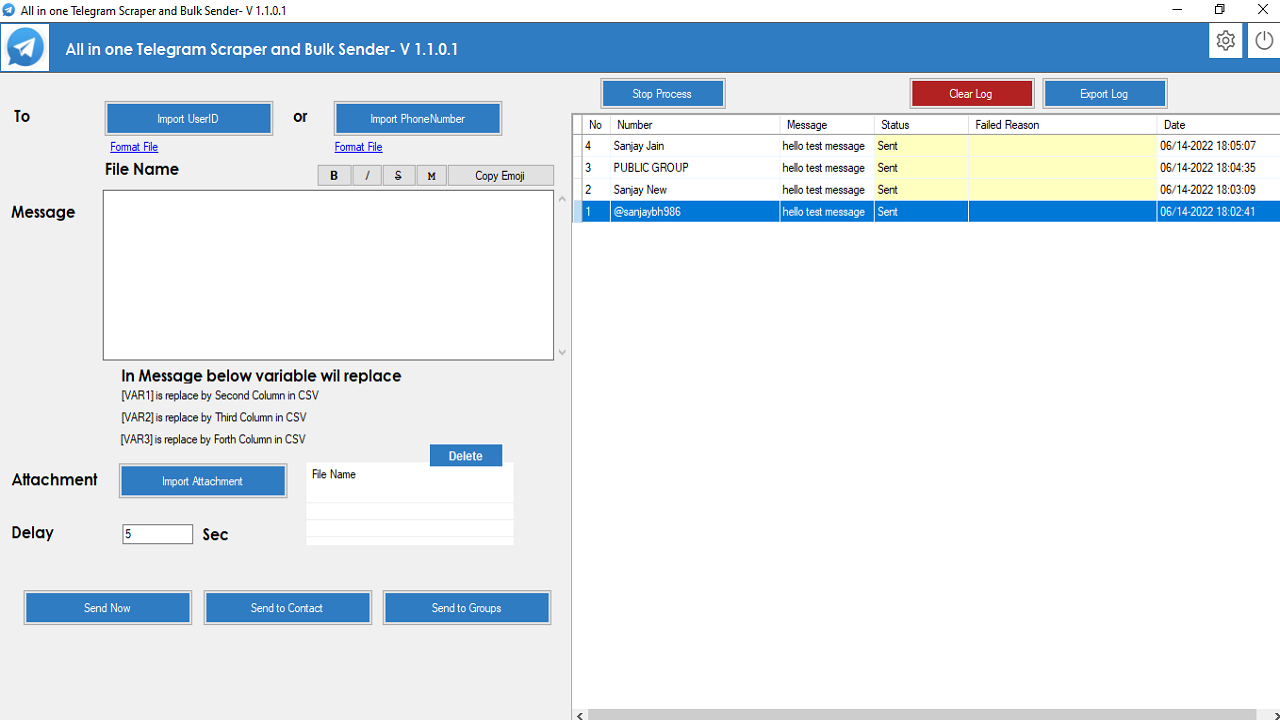
After registration License, Start the software, the software starts with the following screen
-
- If you want to send a message to a Telegram user ID, you can import it according to the format file and send the message to all Telegram user IDs.
- If you want to send a message to a Telegram mobile phone number, you can import it according to the format file and send the message to all Telegram mobile phone numbers.
- If you want to send a message to a Telegram group, click on the «Send to groups» button. The following screen will appear.
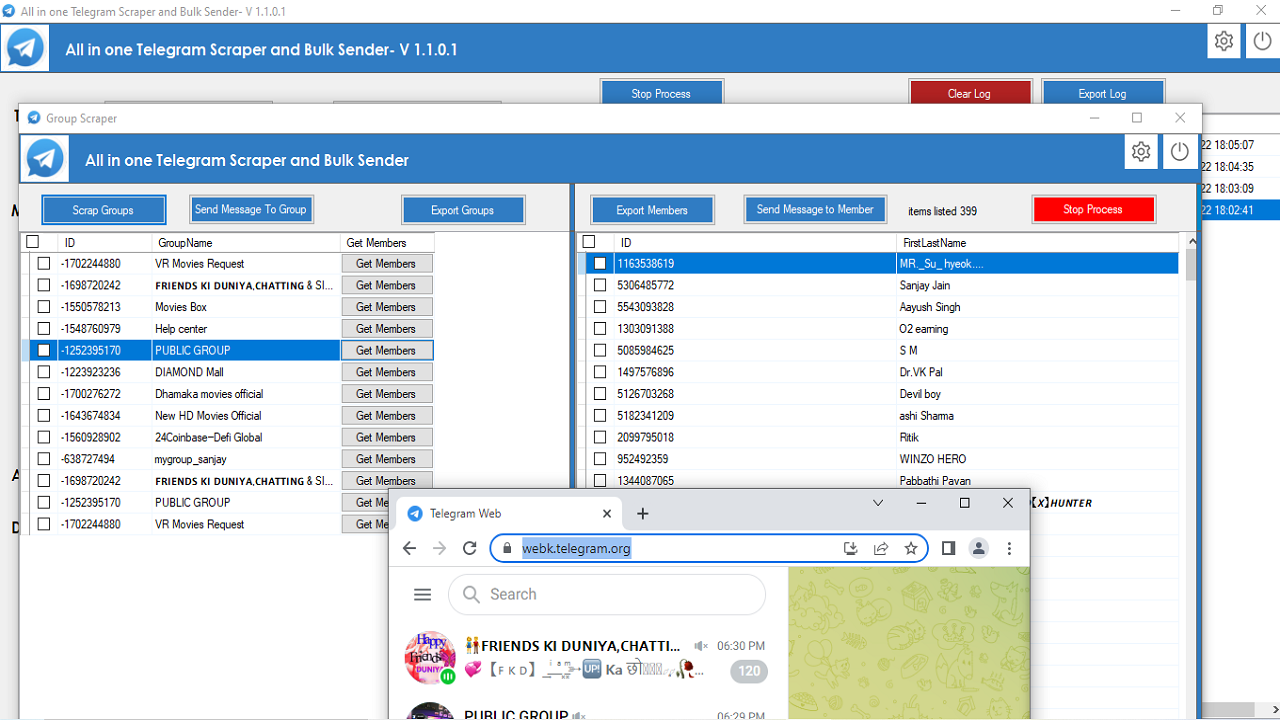
- On this screen, click on «Extract groups». The software will extract all Telegram groups of which you are a member.
- You can now select the groups and click on «Send message to groups».
- You can export all groups to an Excel file. Click on the button «Export groups».»
- Extract group members
-
- Click on the «Get Members» button to select the group member you want to extract.
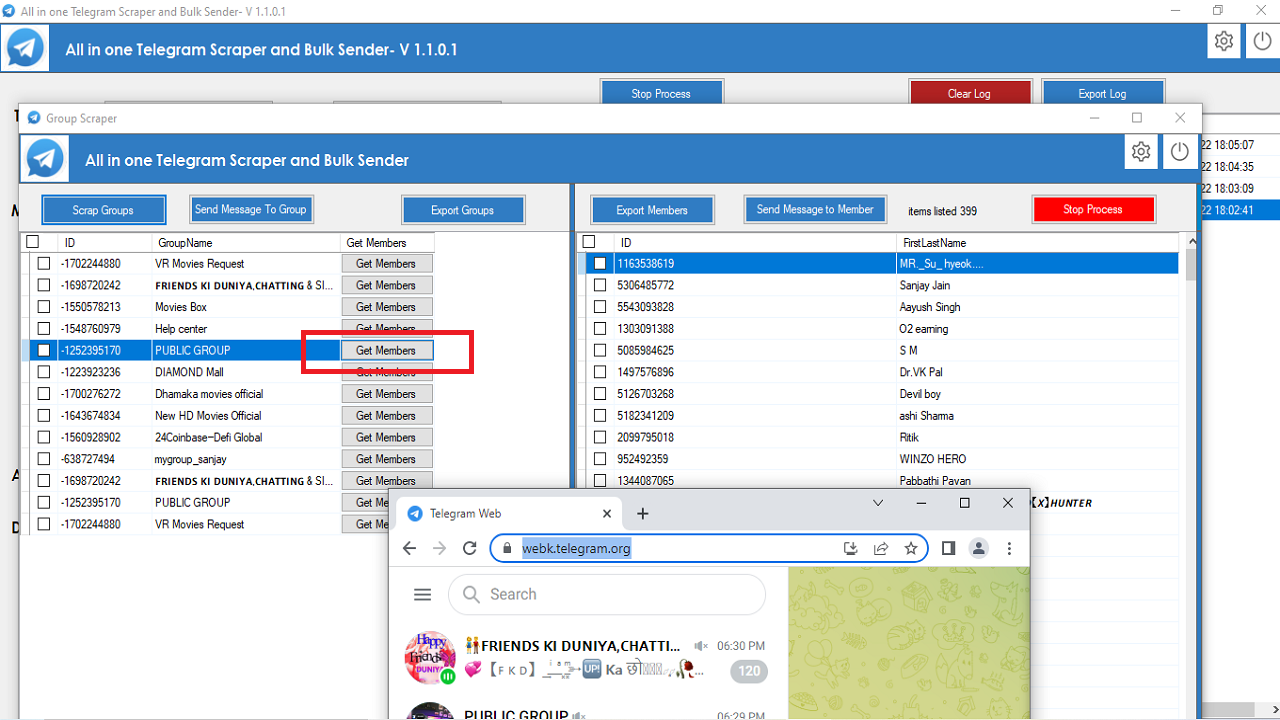
- You can now select the members of the group and click on the button «Send message to a member».»
- You can export all members of the group to an Excel file by clicking on the «Export members» button.»
-
- If you want to send a message to your Telegram contacts, click on the «Send to contacts» button and the following screen will appear
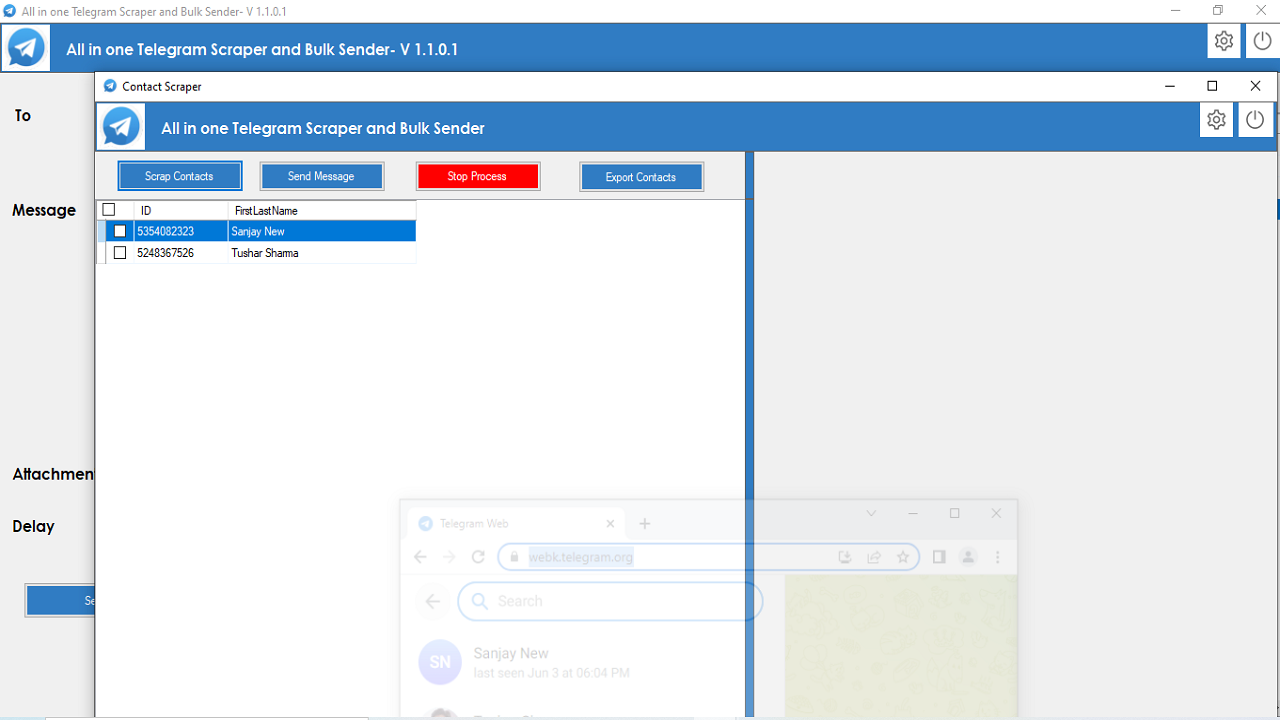
- On this screen, click on «Extract contacts» and the software will extract all your contacts from Telegram. contacts
- You can now select contacts and click on the Send Message button.
- You can export all contacts to an Excel file by clicking on the Export contacts button.
- Click on the Settings icon in the top bar to change the data export format to Excel, CSV or text format. The software supports multiple languages.
Add member from one group to another
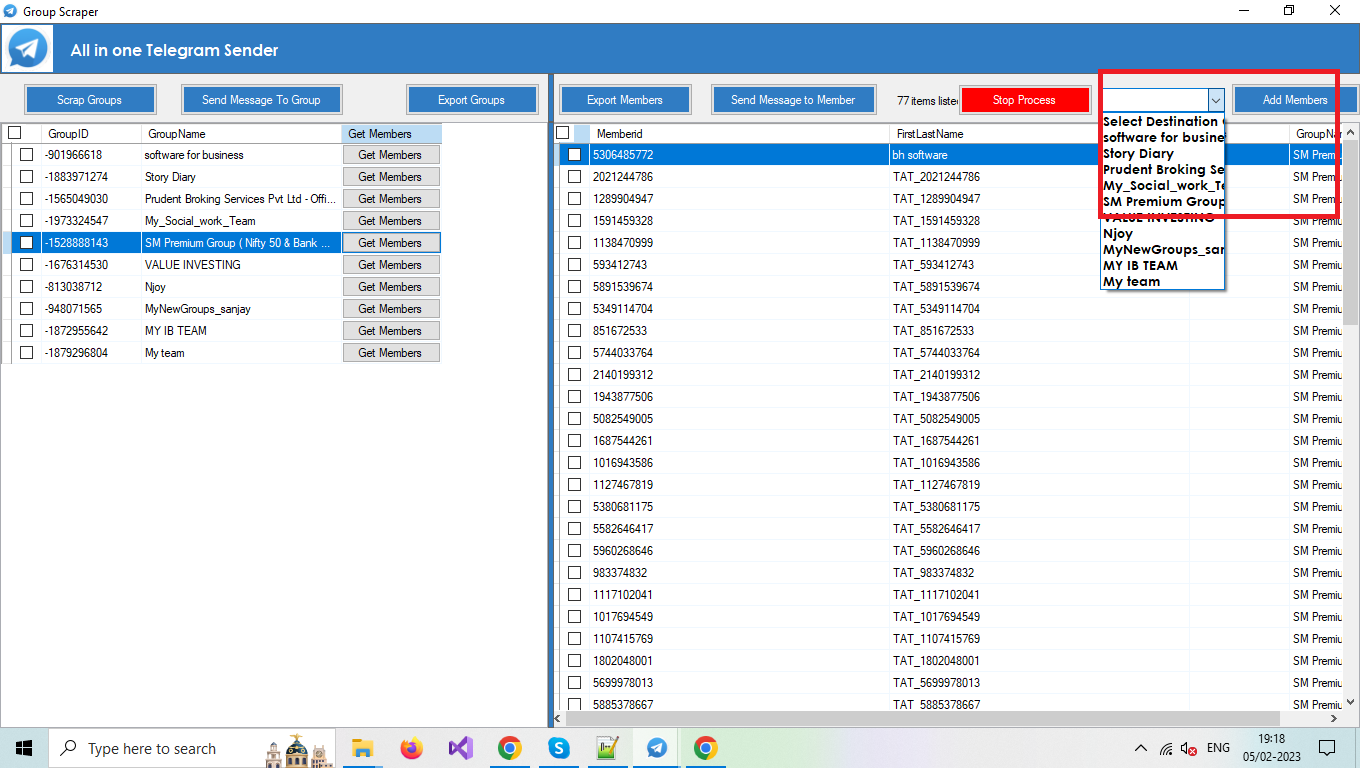
- To add a member of one group to another, select the target group in the combo box and click the Add Member button.


Reviews
There are no reviews yet.